> ## Documentation Index
> Fetch the complete documentation index at: https://www.cashfree.com/docs/llms.txt
> Use this file to discover all available pages before exploring further.
# Whitelists
> Add trusted customers to your Cashfree RiskShield whitelist using card, phone, email, IP, or device data so their transactions bypass risk rules.
Cashfree lets you create a whitelist for trusted customers. When you add a customer to your whitelist, RiskShield allows their transactions, even if they match other risk rules. You can whitelist using the following details:
* [Mobile Number](/payments/risk-shield/whitelists#mobile-number)
* [Email ID](/payments/risk-shield/whitelists#email-id)
* [UPI Handle](/payments/risk-shield/whitelists#upi-handle)
* [Cities](/payments/risk-shield/whitelists#cities-indian)
* [IP Address](/payments/risk-shield/whitelists#ip-address)
* [Card Numbers](/payments/risk-shield/whitelists#card-numbers)
* [UPI Provider](/payments/risk-shield/whitelists#upi-provider)
## Navigation
1. Log in to the [Merchant Dashboard](https://merchant.cashfree.com/auth/login).
2. Go to **Payment Gateway > RiskShield > My Lists**.
3. Select the **Whitelists** tab.
4. Click **Add Whitelist**.
## Mobile number
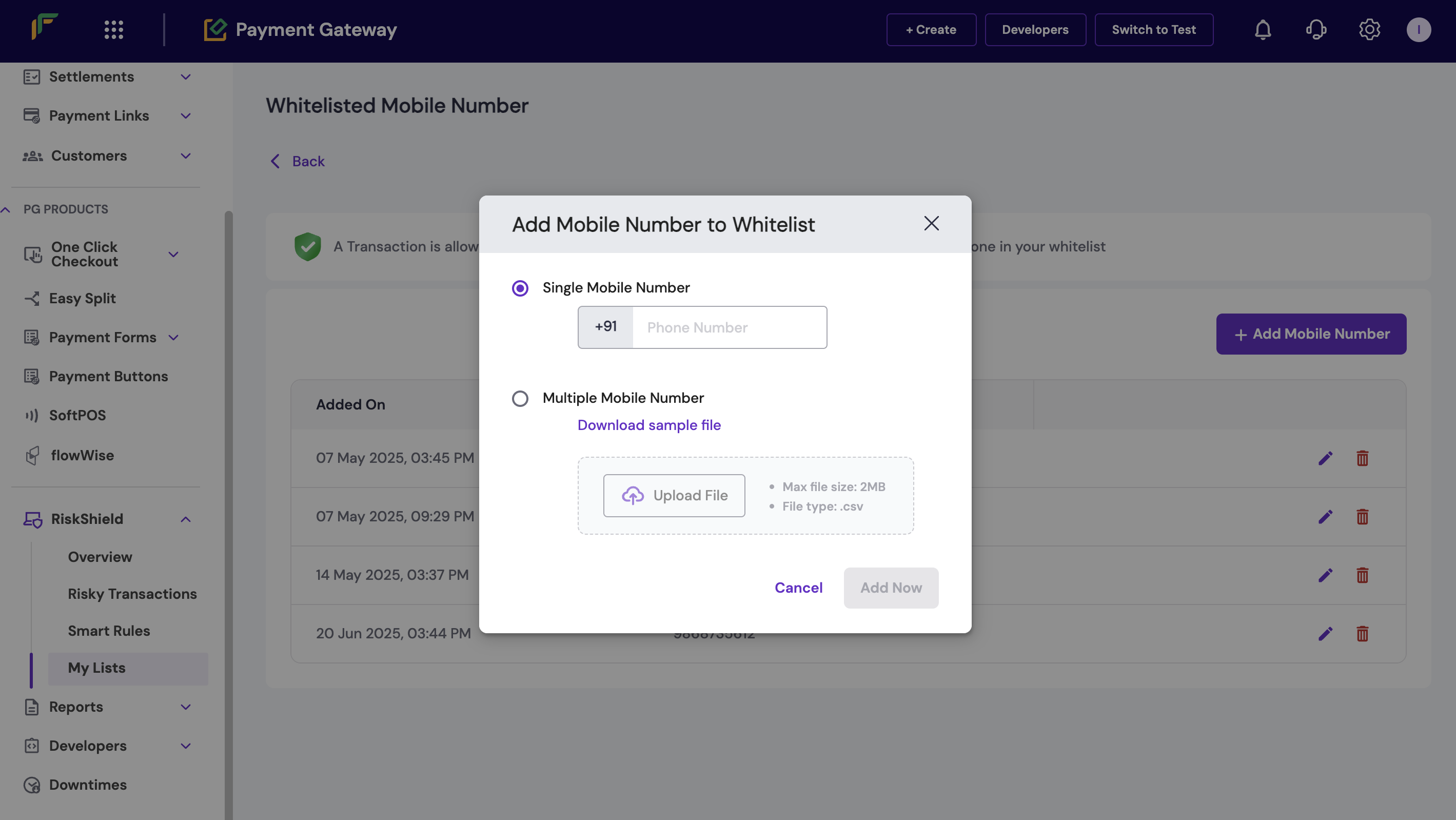
Whitelist a mobile number to let trusted customers process transactions without interruptions.
To add a mobile number to your whitelist:
1. Log in to the [Merchant Dashboard](https://merchant.cashfree.com/auth/login).
2. Go to **Payment Gateway > RiskShield > My Lists**.
3. Select the **Whitelists** tab.
4. Click **Add Whitelist** > **Mobile Number**.
5. In the *Add Mobile Number to Whitelist* window, do the following:
* **Single Mobile Number**: Enter the mobile number.
* **Multiple Mobile Numbers**: Download the sample file, enter the mobile numbers in the specified format, and upload the file.
6. Click **Add Now**.
 ## Email ID
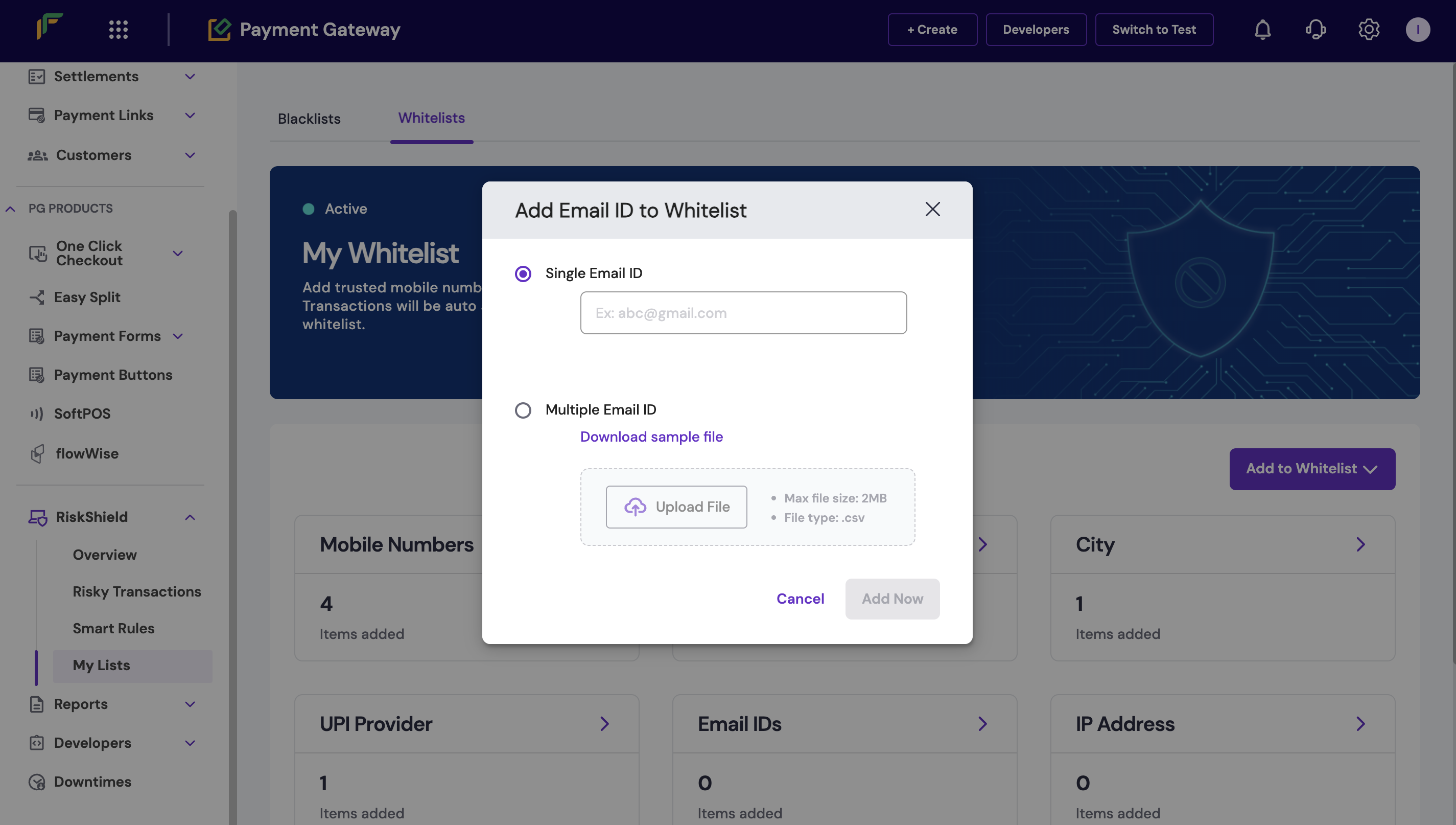
Whitelist an email ID to let transactions from trusted customers.
To add an email ID to your whitelist:
1. Log in to the [Merchant Dashboard](https://merchant.cashfree.com/auth/login).
2. Go to **Payment Gateway > RiskShield > My Lists**.
3. Select the **Whitelists** tab.
4. Click **Add Whitelist** > **Email ID**.
5. In the *Add Email ID to Whitelist* window, do the following:
* **Single Email ID**: Enter the email ID.
* **Multiple Email IDs**: Download the sample file, enter the email IDs in the specified format, and upload the file.
6. Click **Add Now**.
## Email ID
Whitelist an email ID to let transactions from trusted customers.
To add an email ID to your whitelist:
1. Log in to the [Merchant Dashboard](https://merchant.cashfree.com/auth/login).
2. Go to **Payment Gateway > RiskShield > My Lists**.
3. Select the **Whitelists** tab.
4. Click **Add Whitelist** > **Email ID**.
5. In the *Add Email ID to Whitelist* window, do the following:
* **Single Email ID**: Enter the email ID.
* **Multiple Email IDs**: Download the sample file, enter the email IDs in the specified format, and upload the file.
6. Click **Add Now**.
 ## UPI handle
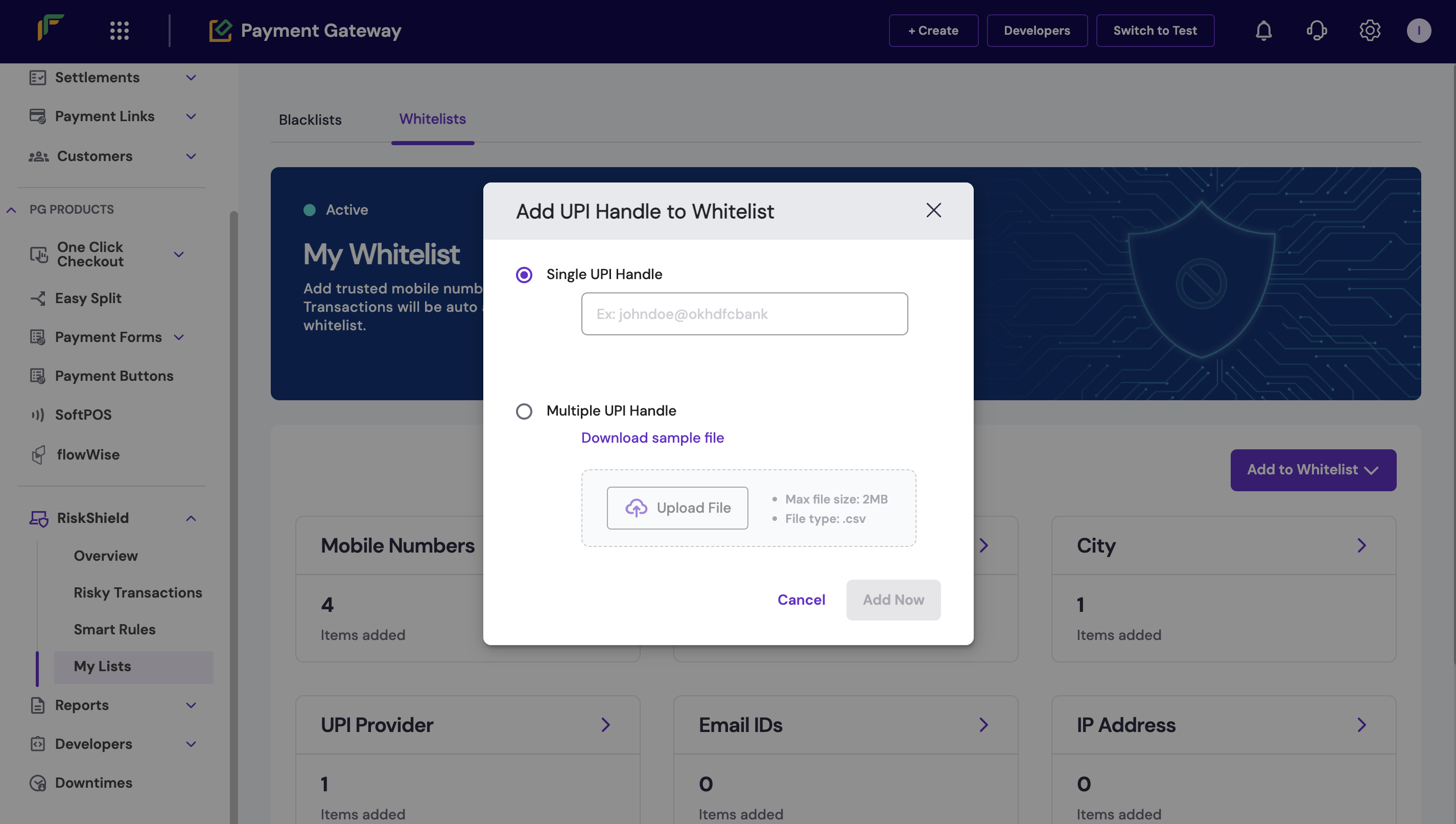
Whitelist a UPI handle to let transactions through specific trusted VPAs.
To add a UPI handle to your whitelist:
1. Log in to the [Merchant Dashboard](https://merchant.cashfree.com/auth/login).
2. Go to **Payment Gateway > RiskShield > My Lists**.
3. Select the **Whitelists** tab.
4. Click **Add Whitelist** > **UPI Handle**.
5. In the *Add UPI Handle to Whitelist* window, do the following:
* **Single UPI Handle**: Enter the UPI VPA.
* **Multiple UPI Handles**: Download the sample file, enter the UPI handles in the specified format, and upload the file.
6. Click **Add Now**.
## UPI handle
Whitelist a UPI handle to let transactions through specific trusted VPAs.
To add a UPI handle to your whitelist:
1. Log in to the [Merchant Dashboard](https://merchant.cashfree.com/auth/login).
2. Go to **Payment Gateway > RiskShield > My Lists**.
3. Select the **Whitelists** tab.
4. Click **Add Whitelist** > **UPI Handle**.
5. In the *Add UPI Handle to Whitelist* window, do the following:
* **Single UPI Handle**: Enter the UPI VPA.
* **Multiple UPI Handles**: Download the sample file, enter the UPI handles in the specified format, and upload the file.
6. Click **Add Now**.
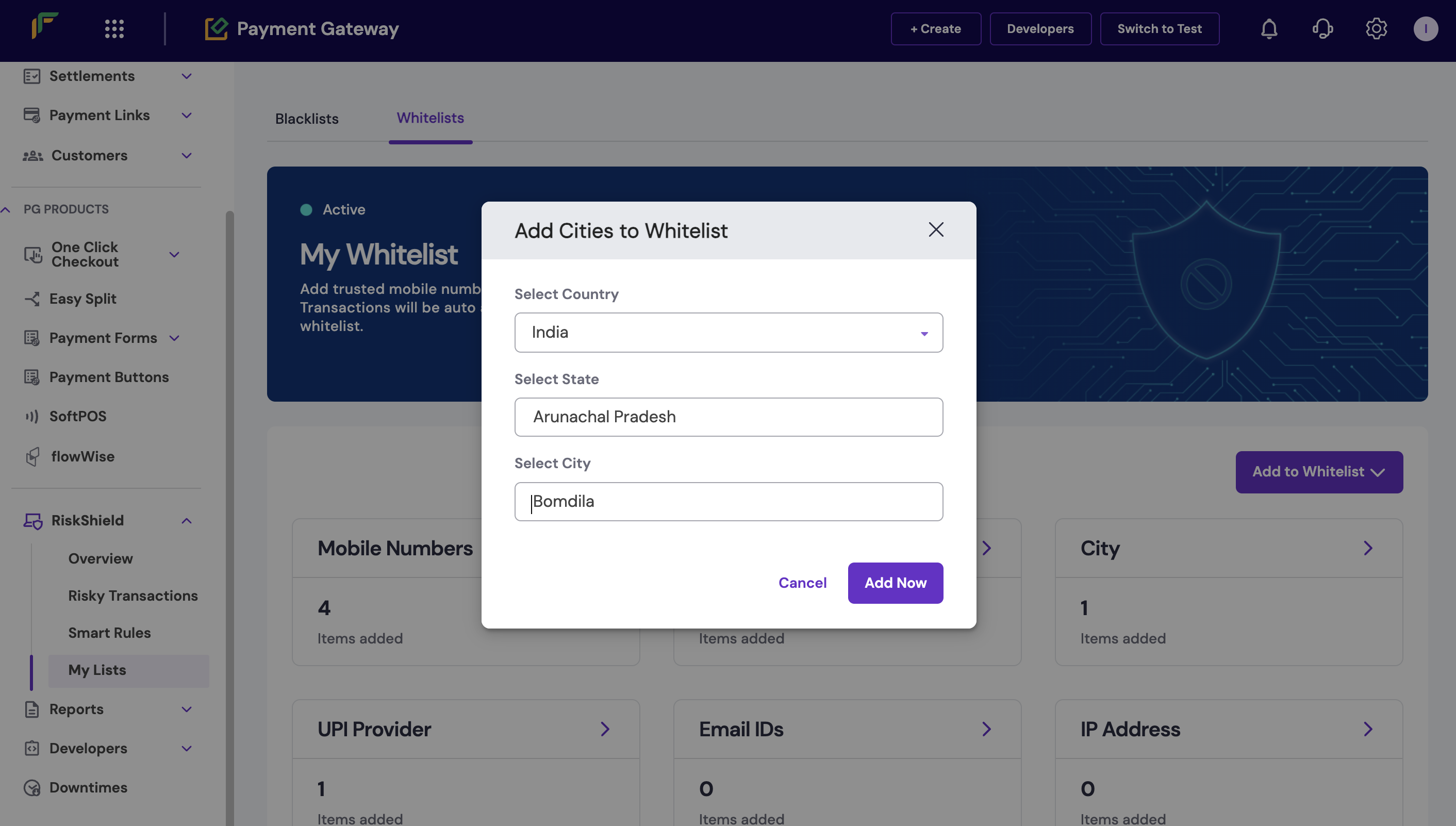
 ## Cities (India)
Whitelist cities to let transactions from trusted locations.
To add a city to your whitelist:
1. Log in to the [Merchant Dashboard](https://merchant.cashfree.com/auth/login).
2. Go to **Payment Gateway > RiskShield > My Lists**.
3. Select the **Whitelists** tab.
4. Click **Add Whitelist** > **Cities**.
5. In the *Add Cities to Whitelist* window, do the following:
* **Country**: India is selected by default.
* **State**: Select the state.
* **City**: Select the city.
6. Click **Add Now**. Repeat this process to add more cities.
## Cities (India)
Whitelist cities to let transactions from trusted locations.
To add a city to your whitelist:
1. Log in to the [Merchant Dashboard](https://merchant.cashfree.com/auth/login).
2. Go to **Payment Gateway > RiskShield > My Lists**.
3. Select the **Whitelists** tab.
4. Click **Add Whitelist** > **Cities**.
5. In the *Add Cities to Whitelist* window, do the following:
* **Country**: India is selected by default.
* **State**: Select the state.
* **City**: Select the city.
6. Click **Add Now**. Repeat this process to add more cities.
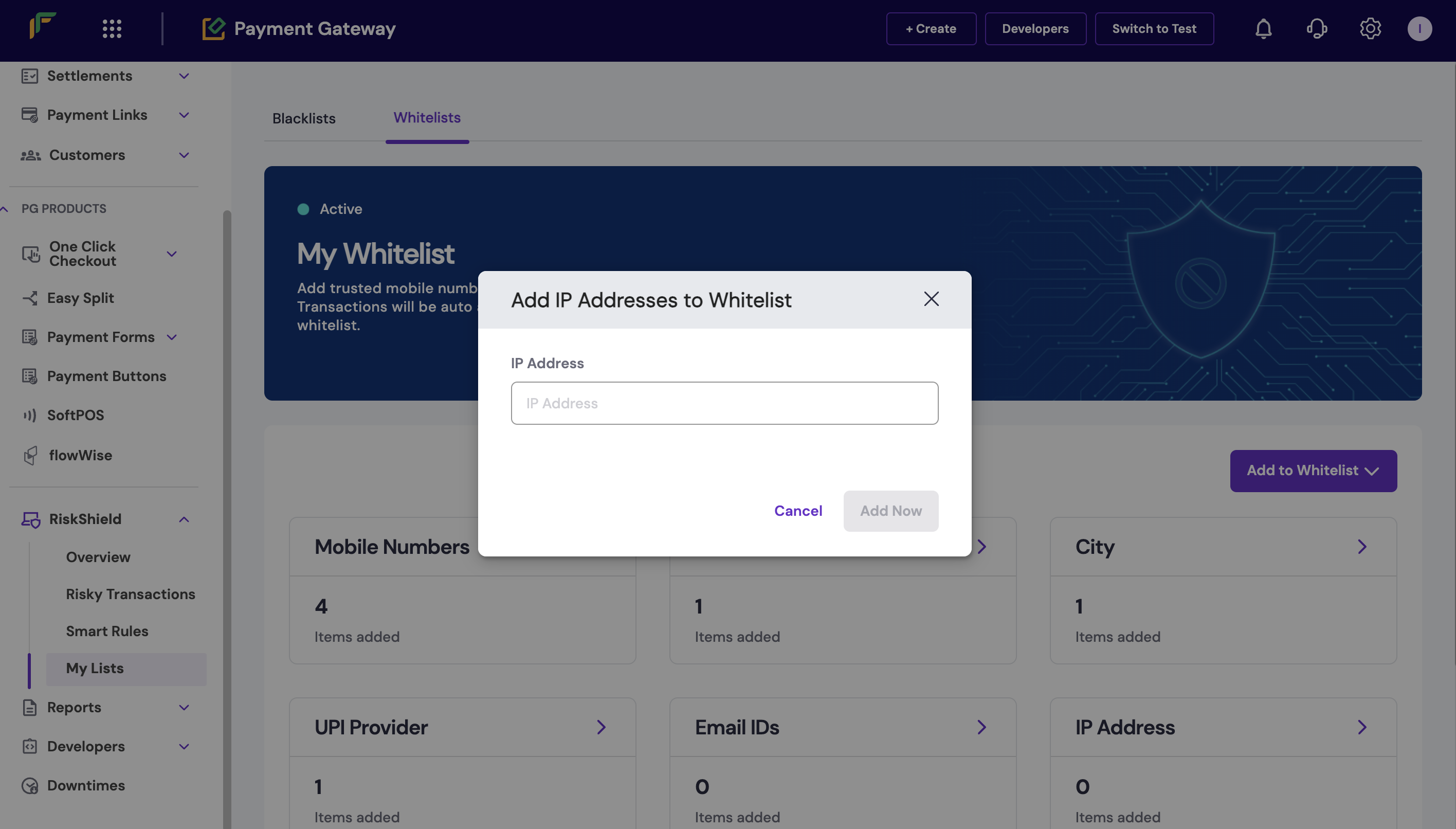
 ## IP address
Whitelist an IP address to let transactions from trusted networks.
To add an IP address to your whitelist:
1. Log in to the [Merchant Dashboard](https://merchant.cashfree.com/auth/login).
2. Go to **Payment Gateway > RiskShield > My Lists**.
3. Select the **Whitelists** tab.
4. Click **Add Whitelist** > **IP Address**.
5. In the *Add IP Address to Whitelist* window, enter the IP address.
6. Click **Add Now**.
## IP address
Whitelist an IP address to let transactions from trusted networks.
To add an IP address to your whitelist:
1. Log in to the [Merchant Dashboard](https://merchant.cashfree.com/auth/login).
2. Go to **Payment Gateway > RiskShield > My Lists**.
3. Select the **Whitelists** tab.
4. Click **Add Whitelist** > **IP Address**.
5. In the *Add IP Address to Whitelist* window, enter the IP address.
6. Click **Add Now**.
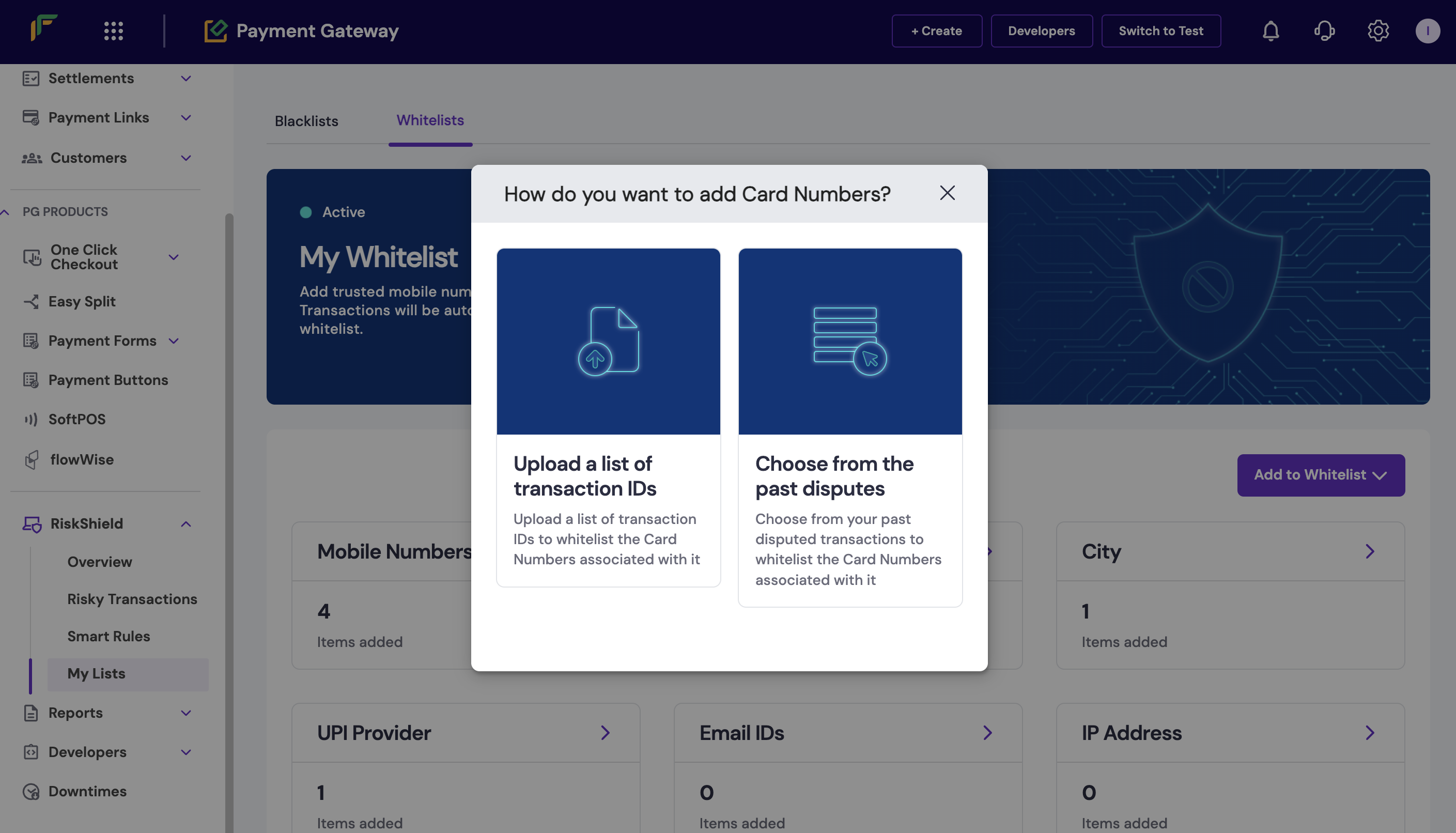
 ## Card numbers
Whitelist specific card numbers or BINs to let transactions for trusted customers. Contact your account manager to enable card number whitelisting at the BIN level.
To add card numbers to your whitelist:
1. Log in to the [Merchant Dashboard](https://merchant.cashfree.com/auth/login).
2. Go to **Payment Gateway > RiskShield > My Lists**.
3. Select the **Whitelists** tab.
4. Click **Add Whitelist** > **Card Numbers**.
5. In the *Add Card Numbers to Whitelist* window, do the following:
* **Single Card Number or BIN**: Enter the card number or BIN.
* **Multiple Card Numbers or BINs**: Download the sample file, enter the card numbers in the specified format, and upload the file.
6. Click **Add Now**.
## Card numbers
Whitelist specific card numbers or BINs to let transactions for trusted customers. Contact your account manager to enable card number whitelisting at the BIN level.
To add card numbers to your whitelist:
1. Log in to the [Merchant Dashboard](https://merchant.cashfree.com/auth/login).
2. Go to **Payment Gateway > RiskShield > My Lists**.
3. Select the **Whitelists** tab.
4. Click **Add Whitelist** > **Card Numbers**.
5. In the *Add Card Numbers to Whitelist* window, do the following:
* **Single Card Number or BIN**: Enter the card number or BIN.
* **Multiple Card Numbers or BINs**: Download the sample file, enter the card numbers in the specified format, and upload the file.
6. Click **Add Now**.
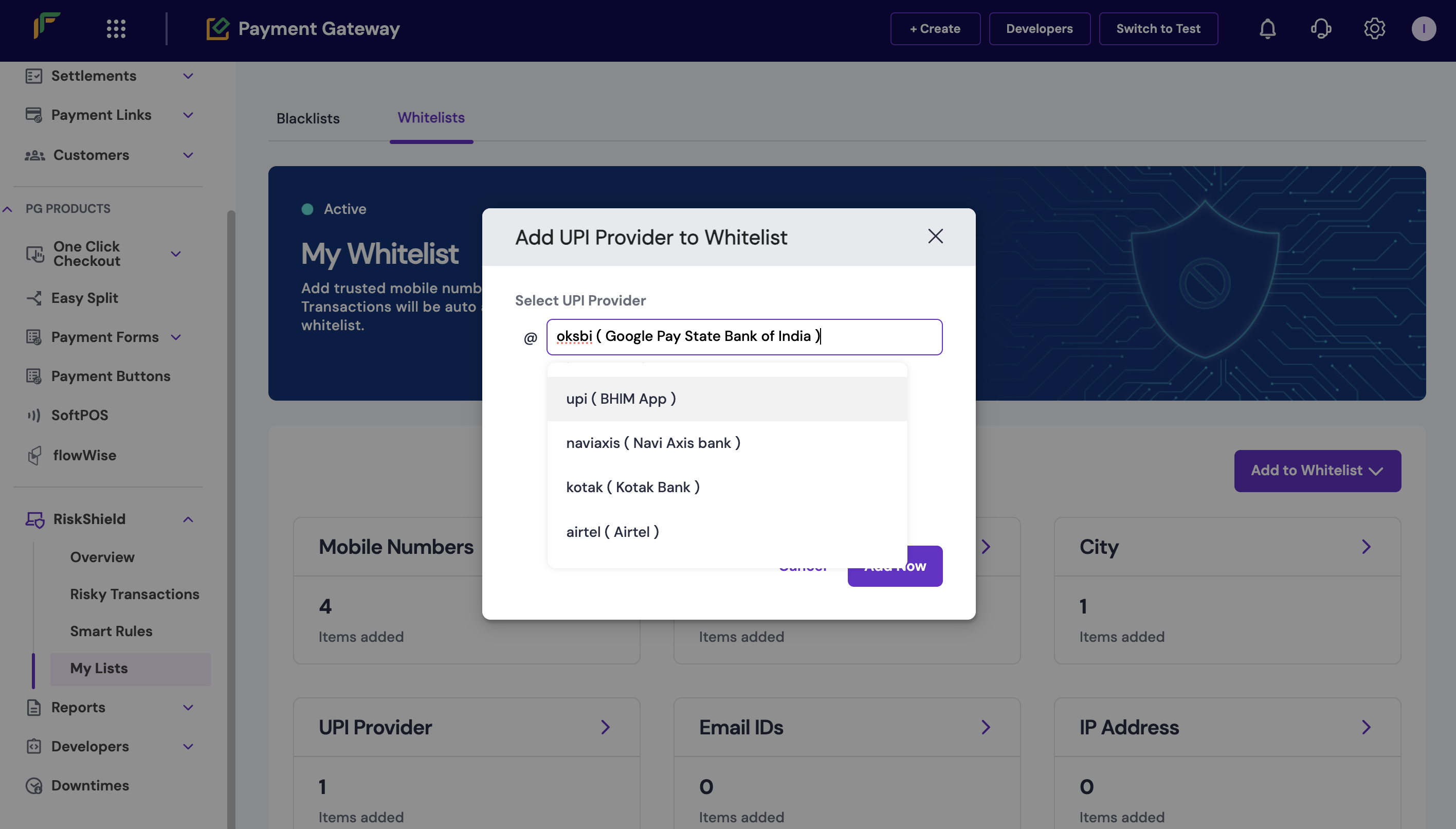
 ## UPI provider
Whitelist a UPI provider to let transactions from specific trusted providers.
To add a UPI provider to your whitelist:
1. Log in to the [Merchant Dashboard](https://merchant.cashfree.com/auth/login).
2. Go to **Payment Gateway > RiskShield > My Lists**.
3. Select the **Whitelists** tab.
4. Click **Add Whitelist** > **UPI Provider**.
5. In the *Add UPI Provider to Whitelist* window, select the UPI provider from the list.
6. Click **Add Now**.
## UPI provider
Whitelist a UPI provider to let transactions from specific trusted providers.
To add a UPI provider to your whitelist:
1. Log in to the [Merchant Dashboard](https://merchant.cashfree.com/auth/login).
2. Go to **Payment Gateway > RiskShield > My Lists**.
3. Select the **Whitelists** tab.
4. Click **Add Whitelist** > **UPI Provider**.
5. In the *Add UPI Provider to Whitelist* window, select the UPI provider from the list.
6. Click **Add Now**.