> ## Documentation Index
> Fetch the complete documentation index at: https://www.cashfree.com/docs/llms.txt
> Use this file to discover all available pages before exploring further.
# BNPL Plus Plugin
> Add the Cashfree BNPL Plus widget to your Shopify product pages to surface BNPL offers and EMI options that boost conversion before customers reach checkout.
BNPL Plus is a display tool you can add on your product page that will display offers and EMI options at the product page.
## Prerequisites
* Credentials to log in to your Shopify account.
* Register for an [account with Cashfree Payments](https://merchant.cashfree.com/merchants/signup) before you start integration.
## Integration steps
1. Use the [installation link](https://apps.shopify.com/cashfree-smartsell) to install the app from the Shopify app store.
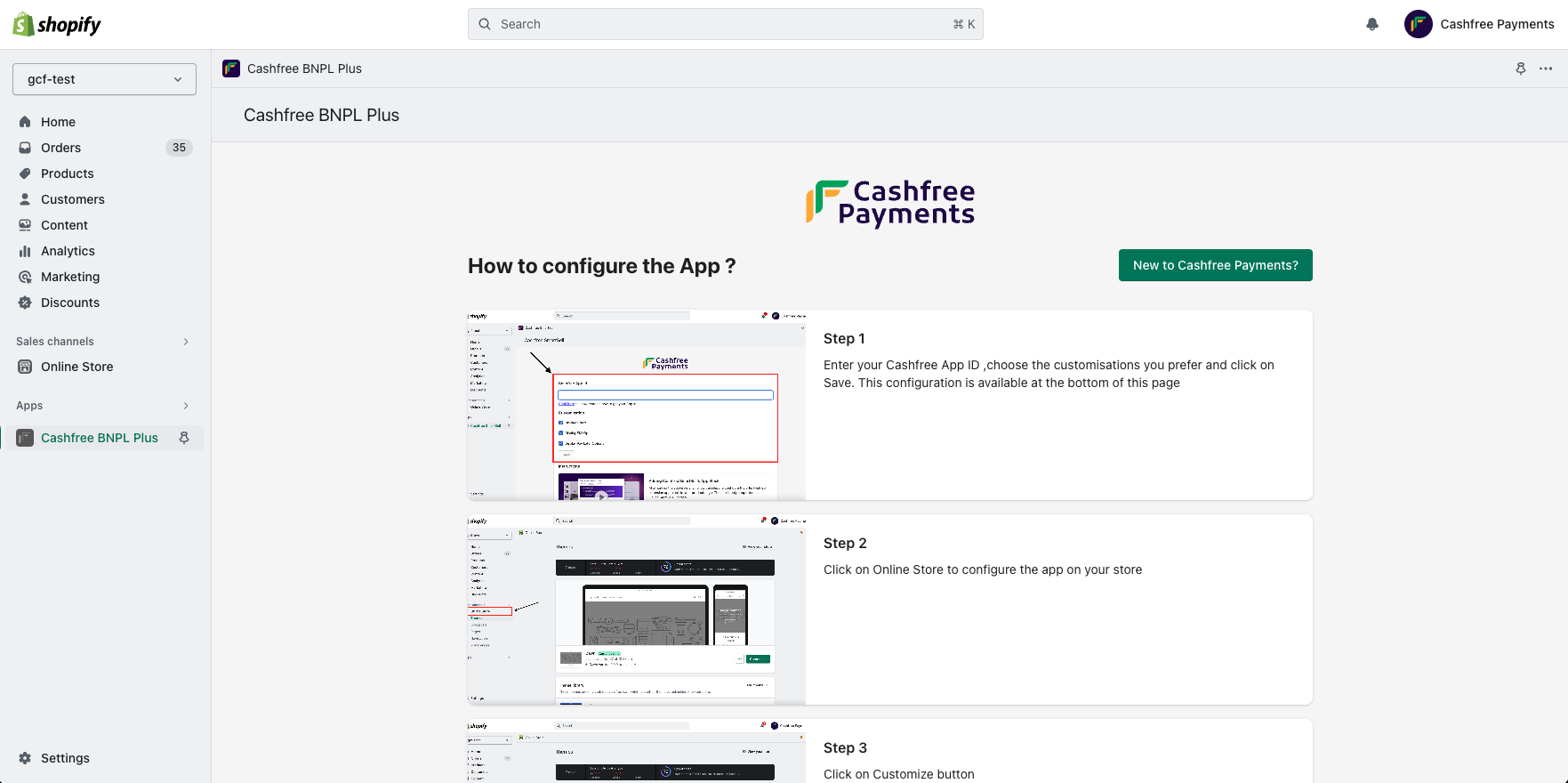
2. Click on **Apps**> **App Name**. Configure the App by providing your Cashfree App ID, and select the required options such as Offers, Pay Later, and EMI. Click **Save**. You can access the Cashfree App ID from the Developers section. Read more to know more about [API keys](/api-reference/authentication#generate-api-keys).
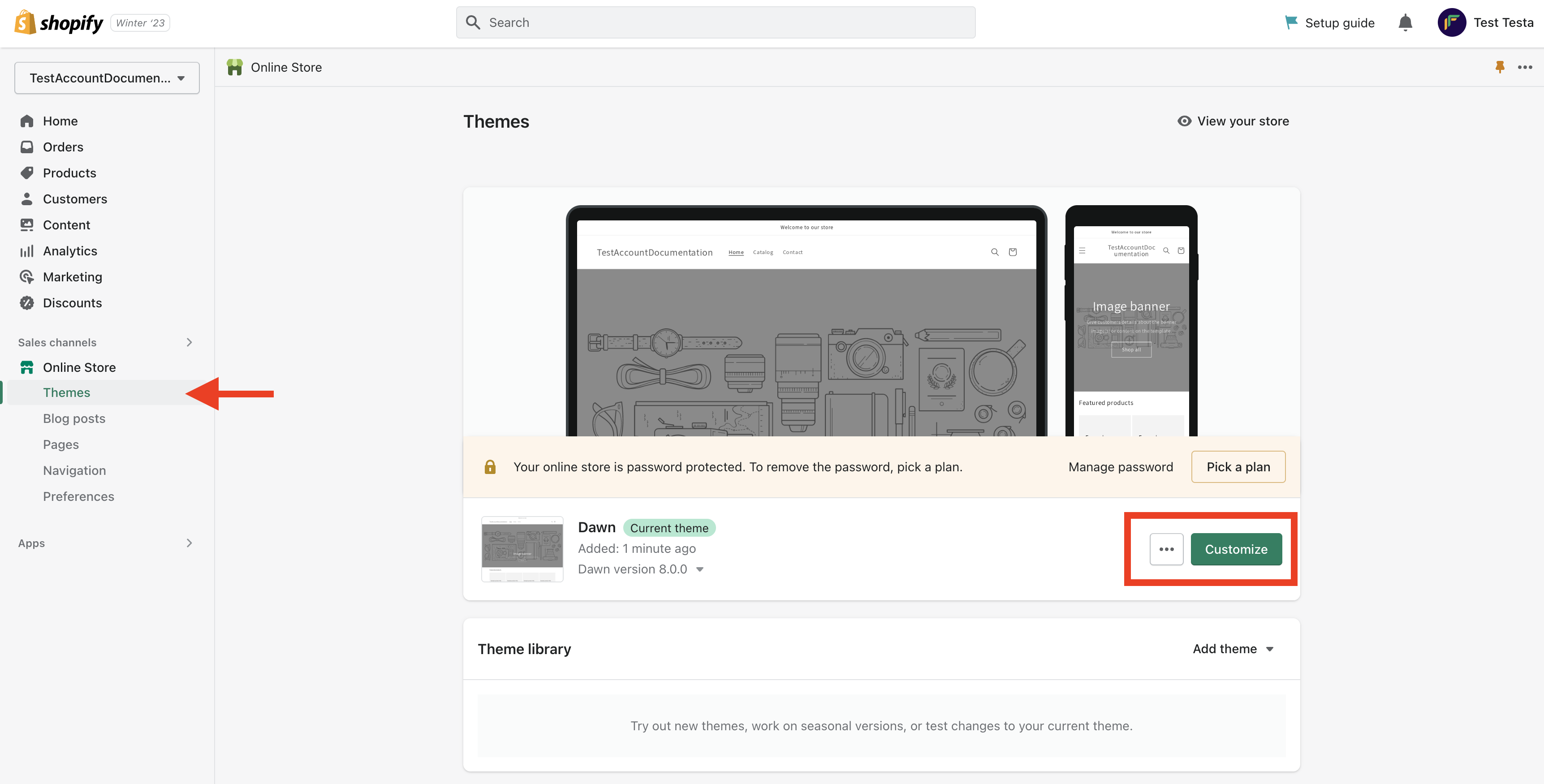
 3. Go to **Shopify store admin** > **Sales channels** > **Online Store** > **Themes** and click **Customise**.
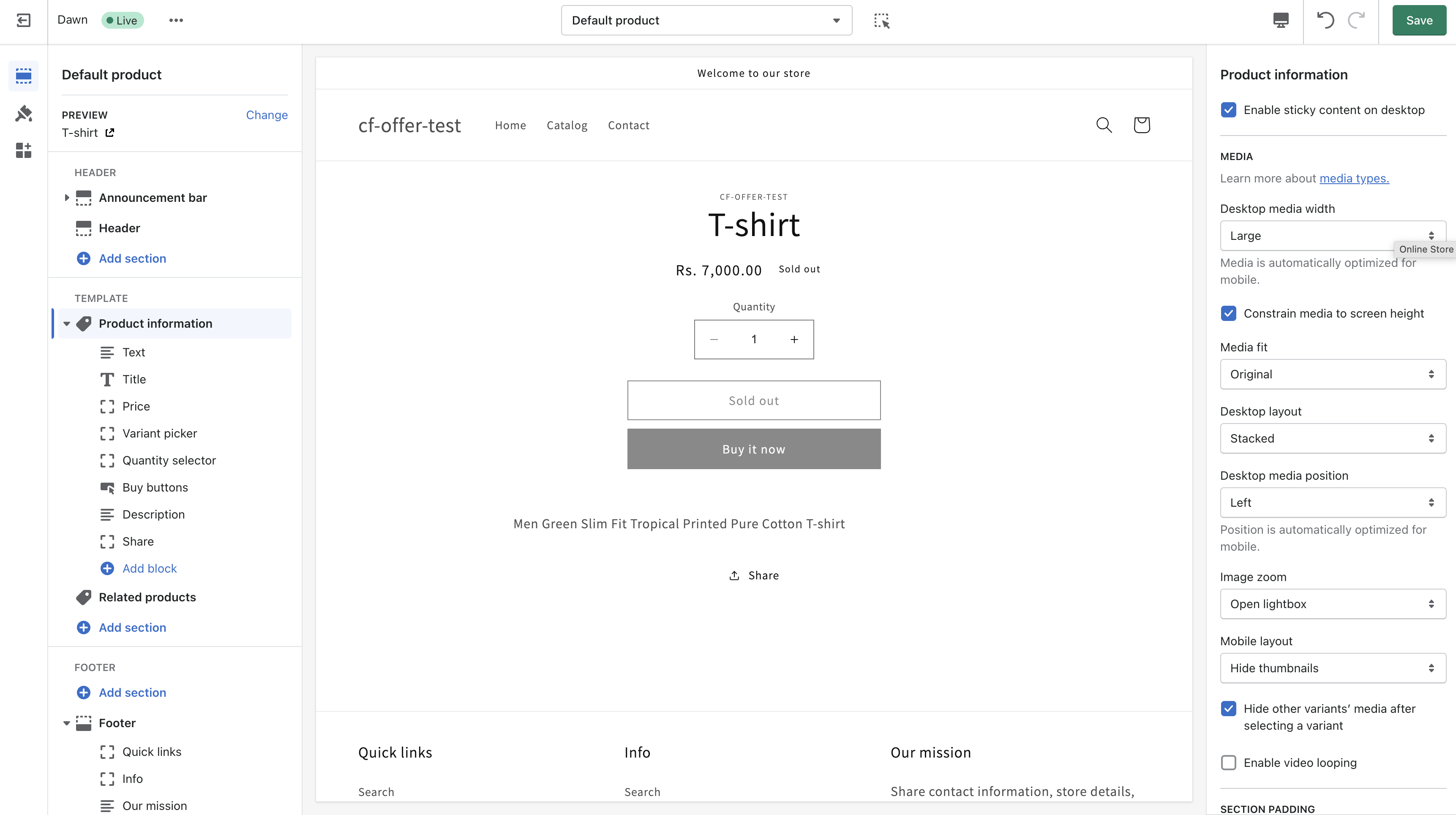
 4. Select the product from the default product drop-down menu. For example: **Products** -> **Default** **product**. Select the desired theme and customise your page. An image of the product page before the addition of BNPL Plus is shown below.
 5. Click the **Add block** option and select **offer widget extension**. Drag this block and place it below the product price preferably or place it according to your convenience. Click **Save**.
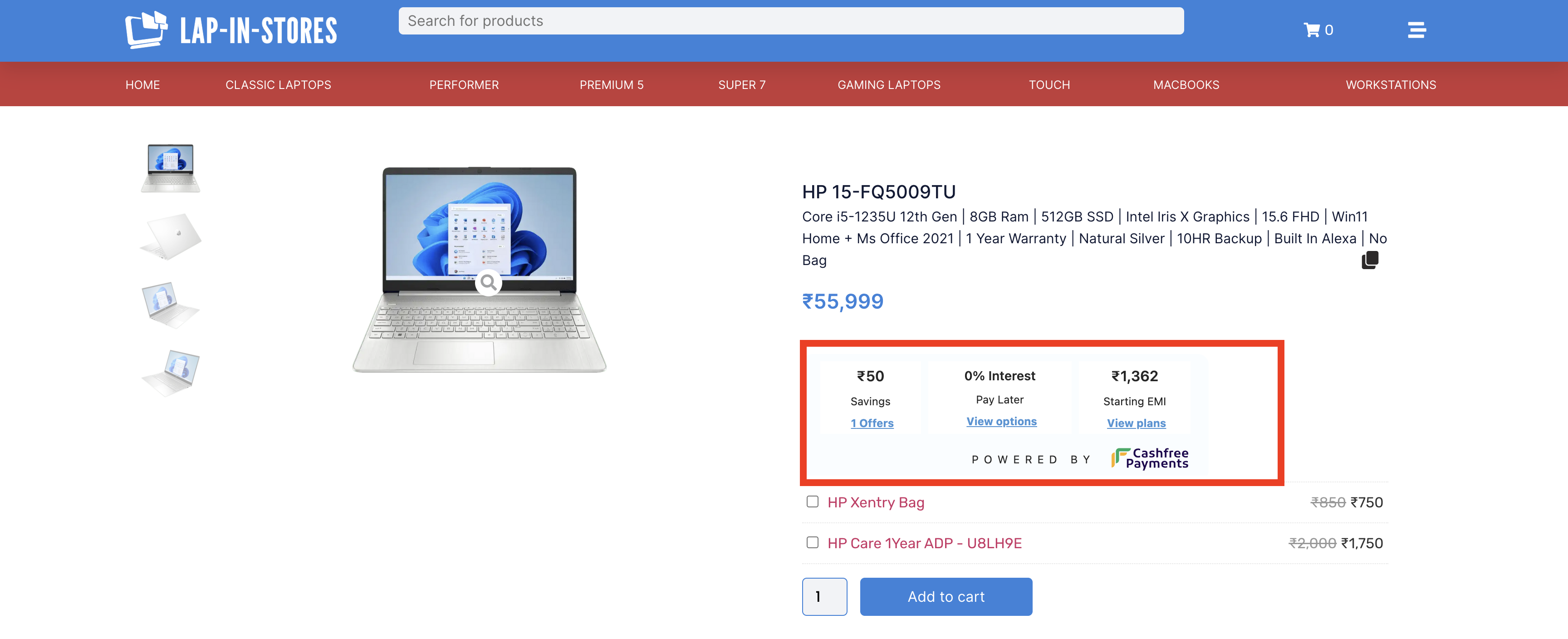
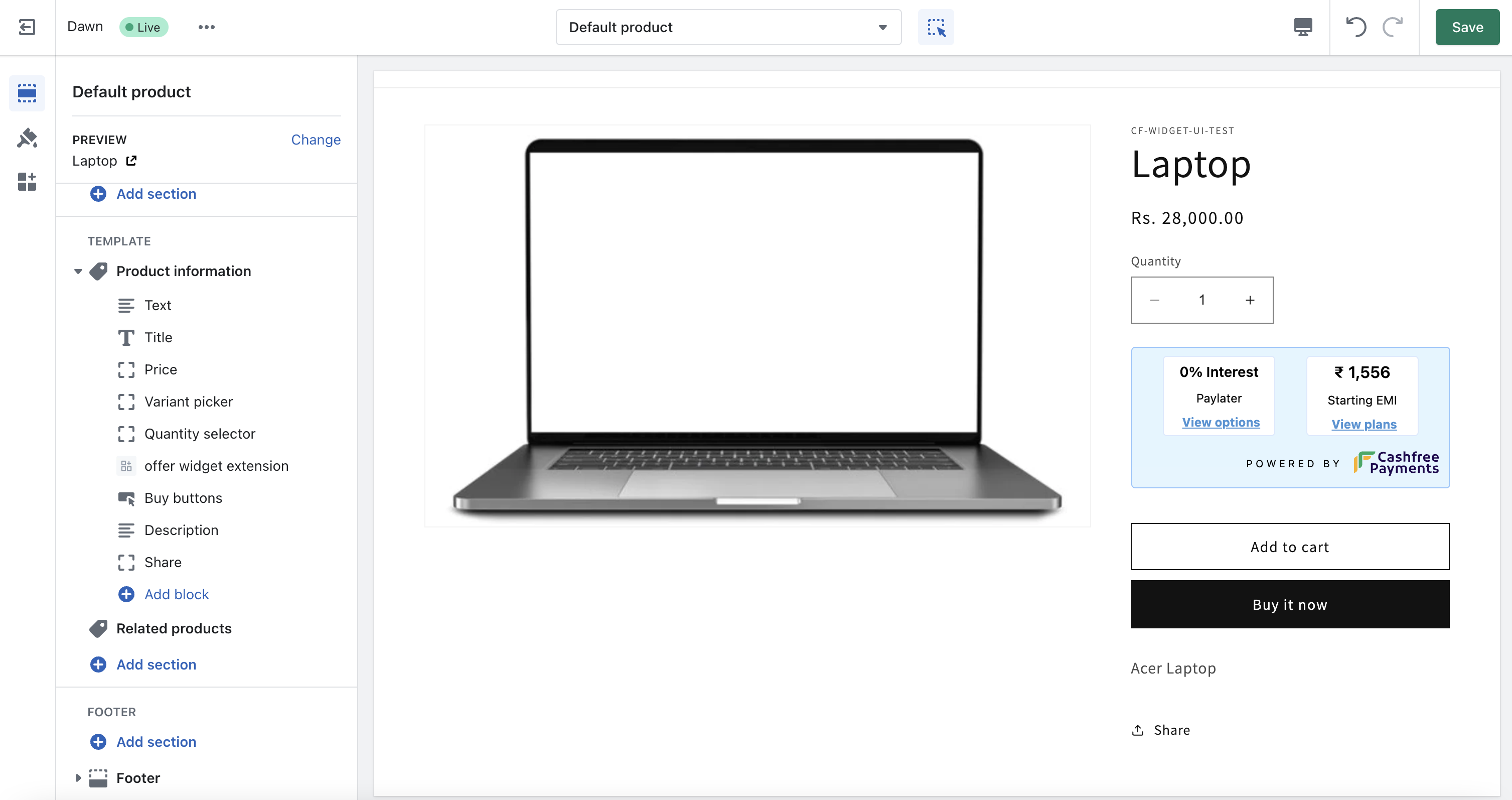 BNPL Plus is now successfully integrated with Shopify. You can see the BNPL Plus enabled on the product page. The image below shows how the app looks on the Shopify product page after successful integration.
 BNPL Plus Widget is only supported for production environment. Also online store 2.0 Shopify themes are supported.