> ## Documentation Index
> Fetch the complete documentation index at: https://www.cashfree.com/docs/llms.txt
> Use this file to discover all available pages before exploring further.
# Settlements
> Let marketplace vendors view their Cashfree settlements in the Vendor Dashboard with payout schedule, status, and per-order breakdown for full transparency.
Your vendors can now view standard and on-demand settlements from the settlement section. You can settle your vendors through the following settlement modes:
* [Vendor Instant Settlement](#instant-settlement)
* [Vendor Standard Settlement](#standard-settlement)
* [Vendor On-Demand Settlement](#on-demand-settlement)
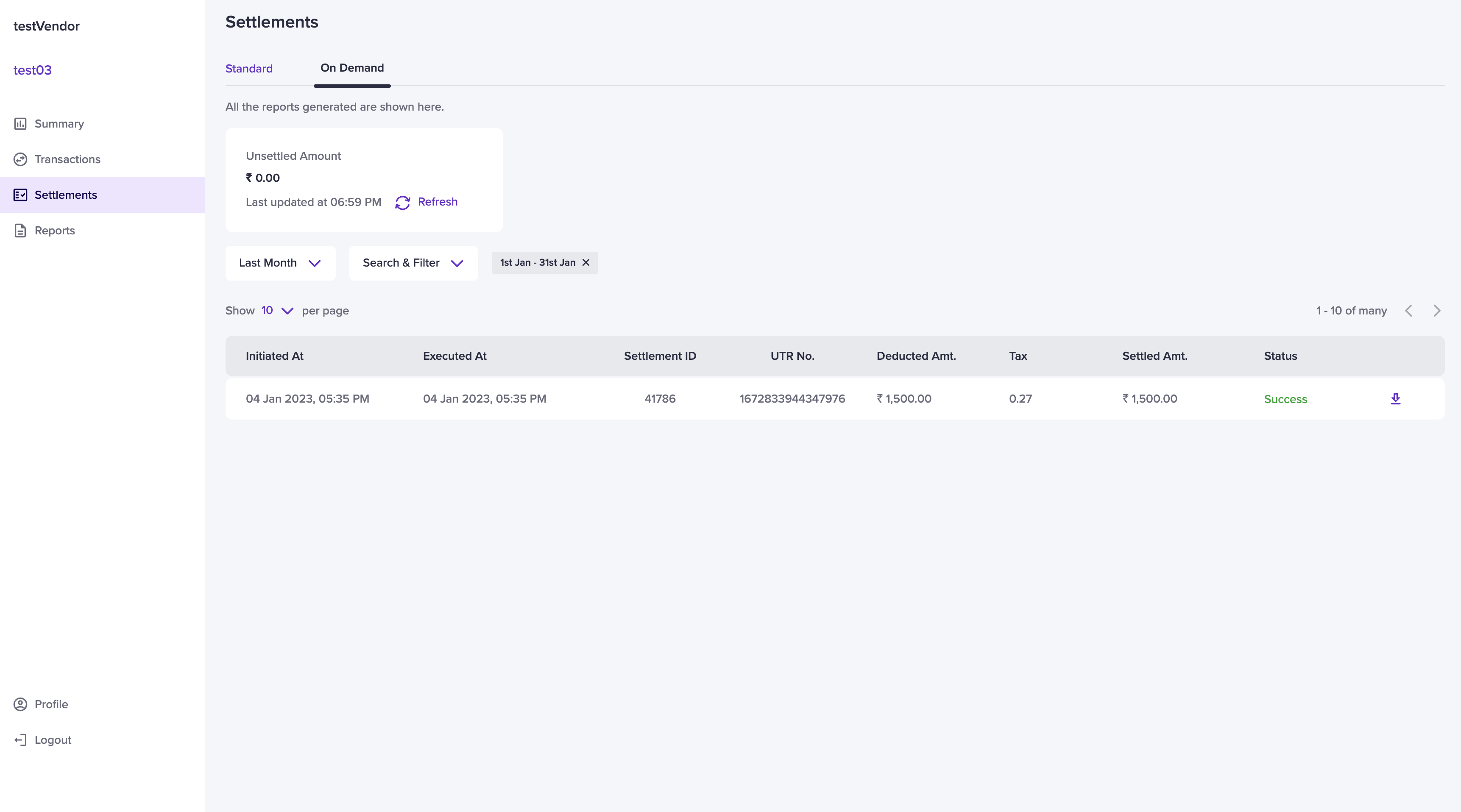
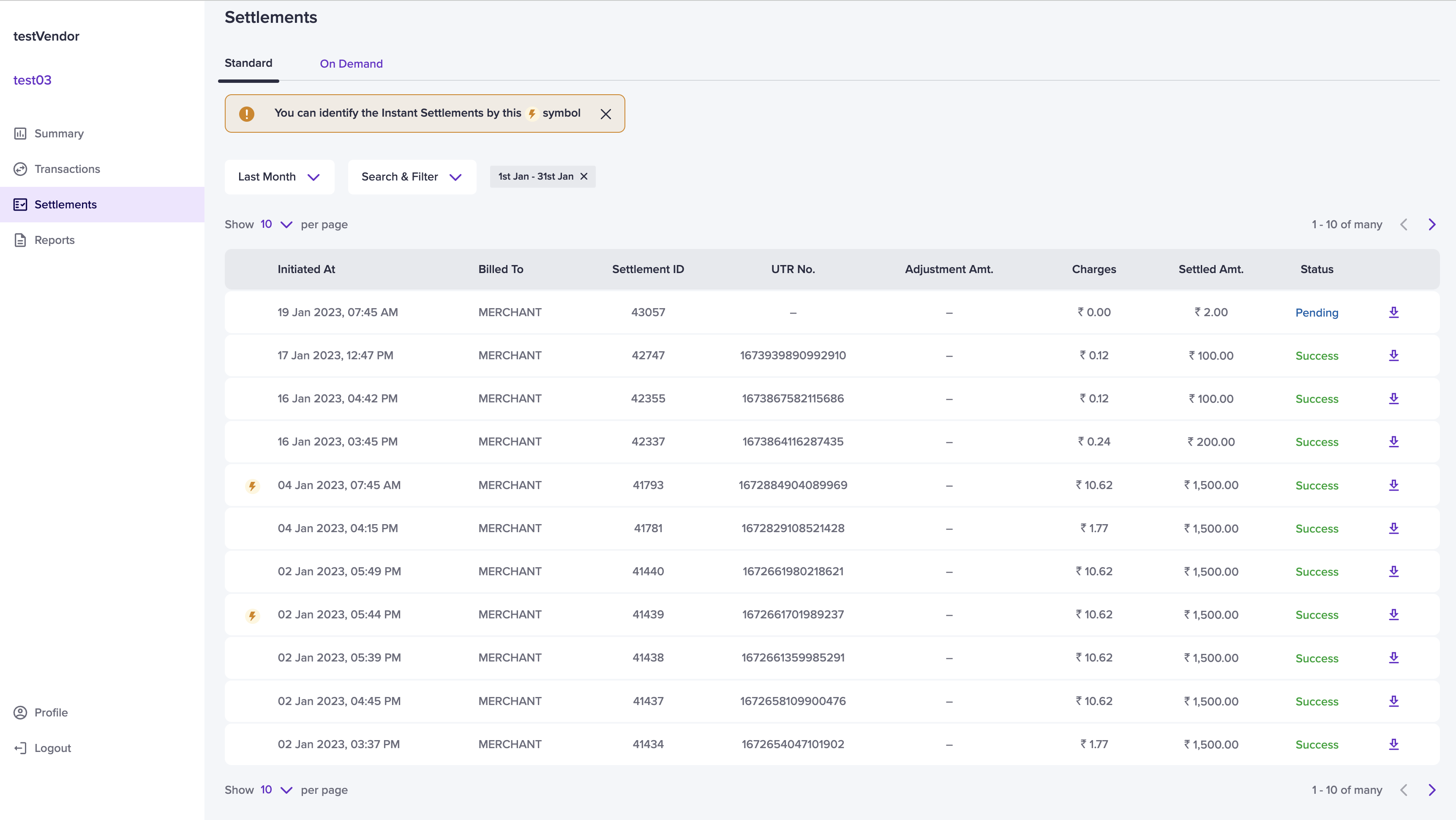
To view the settlements, go to **vendor dashboard** > **Settlements**. Vendor settlement details such as: billed to, settlement ID, UTR number, adjustment amount, settlement charges, the settlement amount, and the settlement status are displayed.
 ## Standard settlement
The standard schedule option in Cashfree Payments is T+2\* days, where T is the date of the transaction. For instance, if the transaction takes place on a Monday, the settlement is credited to your vendor's account on Wednesday. The standard settlements happen only on bank working days. By default, the standard settlement tab will be displayed.
T+x\*: Settlement cycle is subject to bank approval and can vary based on
transaction type, business category/model, risk parameters, and other factors.
To view vendor standard settlement,
Go to **vendor dashboard** > **Settlements** > **Standard**. For more information, see [Vendor standard settlement](/payments/split/settlements/standard).
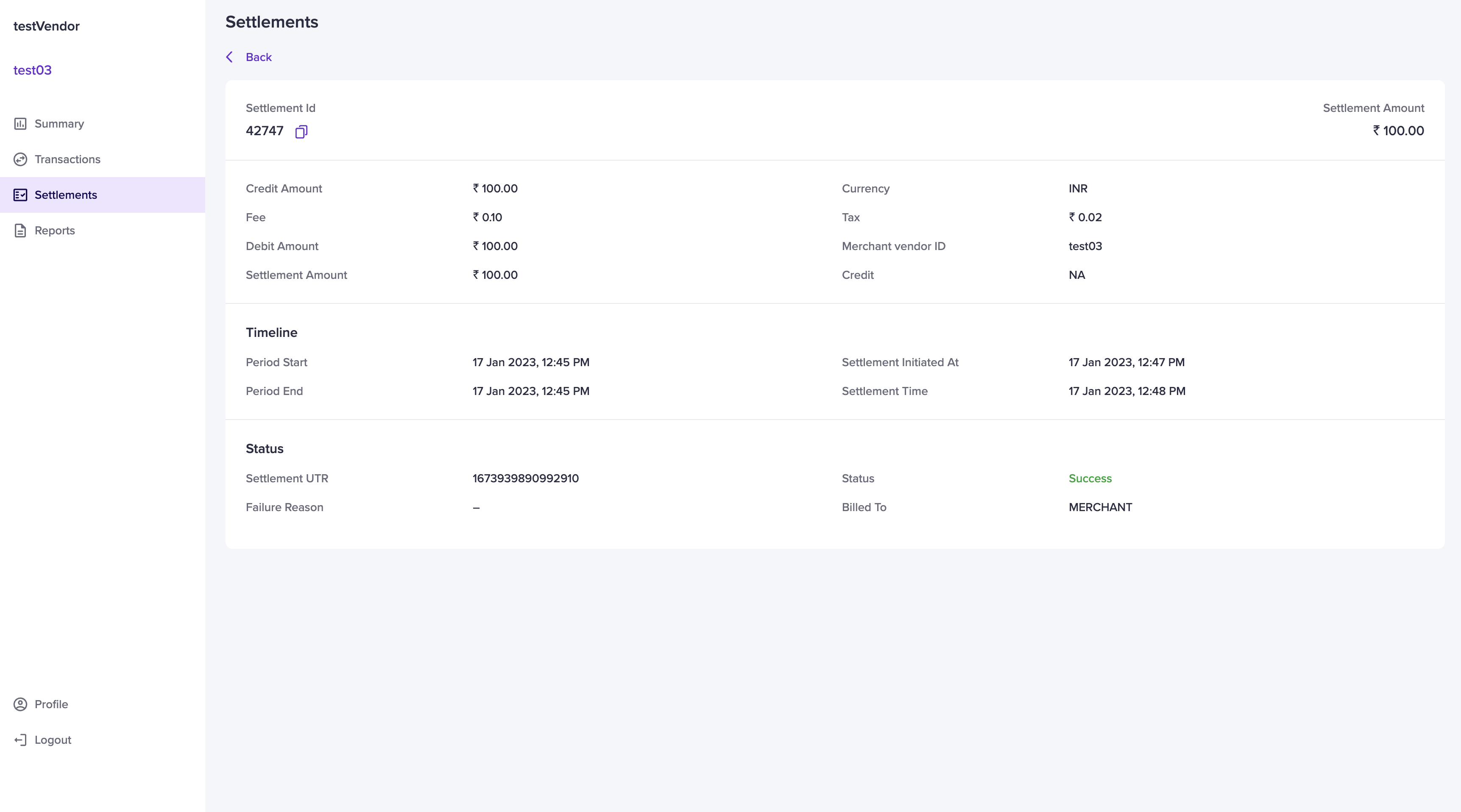
Select a particular settlement to view more details. On this page, vendors can view details such as: settlement ID, settlement amount, credit amount, currency, settlement fee, tax, debit amount, vendor ID, settlement status and so on.
## Standard settlement
The standard schedule option in Cashfree Payments is T+2\* days, where T is the date of the transaction. For instance, if the transaction takes place on a Monday, the settlement is credited to your vendor's account on Wednesday. The standard settlements happen only on bank working days. By default, the standard settlement tab will be displayed.
T+x\*: Settlement cycle is subject to bank approval and can vary based on
transaction type, business category/model, risk parameters, and other factors.
To view vendor standard settlement,
Go to **vendor dashboard** > **Settlements** > **Standard**. For more information, see [Vendor standard settlement](/payments/split/settlements/standard).
Select a particular settlement to view more details. On this page, vendors can view details such as: settlement ID, settlement amount, credit amount, currency, settlement fee, tax, debit amount, vendor ID, settlement status and so on.
 ## Instant settlement
You can settle your vendors instantly through the instant settlement feature. For more information, see [Vendor instant settlement](/payments/split/settlements/instant).
Vendors can identify an instant settlement by this ⚡️ symbol.
## On demand settlement
With vendor on-demand settlements, you can settle the unsettled balances to your vendors bank account instantly 24\*7, including holidays.
To view vendor on-demand settlement,
Go to **vendor dashboard** > **Settlements** > **On Demand**. Select a particular on-demand settlement to view more details. For more information, see [On-demand settlements](/payments/split/settlements/on-demand).
## Instant settlement
You can settle your vendors instantly through the instant settlement feature. For more information, see [Vendor instant settlement](/payments/split/settlements/instant).
Vendors can identify an instant settlement by this ⚡️ symbol.
## On demand settlement
With vendor on-demand settlements, you can settle the unsettled balances to your vendors bank account instantly 24\*7, including holidays.
To view vendor on-demand settlement,
Go to **vendor dashboard** > **Settlements** > **On Demand**. Select a particular on-demand settlement to view more details. For more information, see [On-demand settlements](/payments/split/settlements/on-demand).