> ## Documentation Index
> Fetch the complete documentation index at: https://www.cashfree.com/docs/llms.txt
> Use this file to discover all available pages before exploring further.
# Allocate Funds
> Use Cashfree OneEscrow to allocate funds from your escrow account into virtual accounts, organising money for different business needs without manual transfers.
It is a feature that helps you manage and move money efficiently from one account to another. It helps in managing your funds better by keeping them organised and available for different needs without having to deal with the escrow account directly each time.
## Allocate funds
Follow the instructions below to allocate funds:
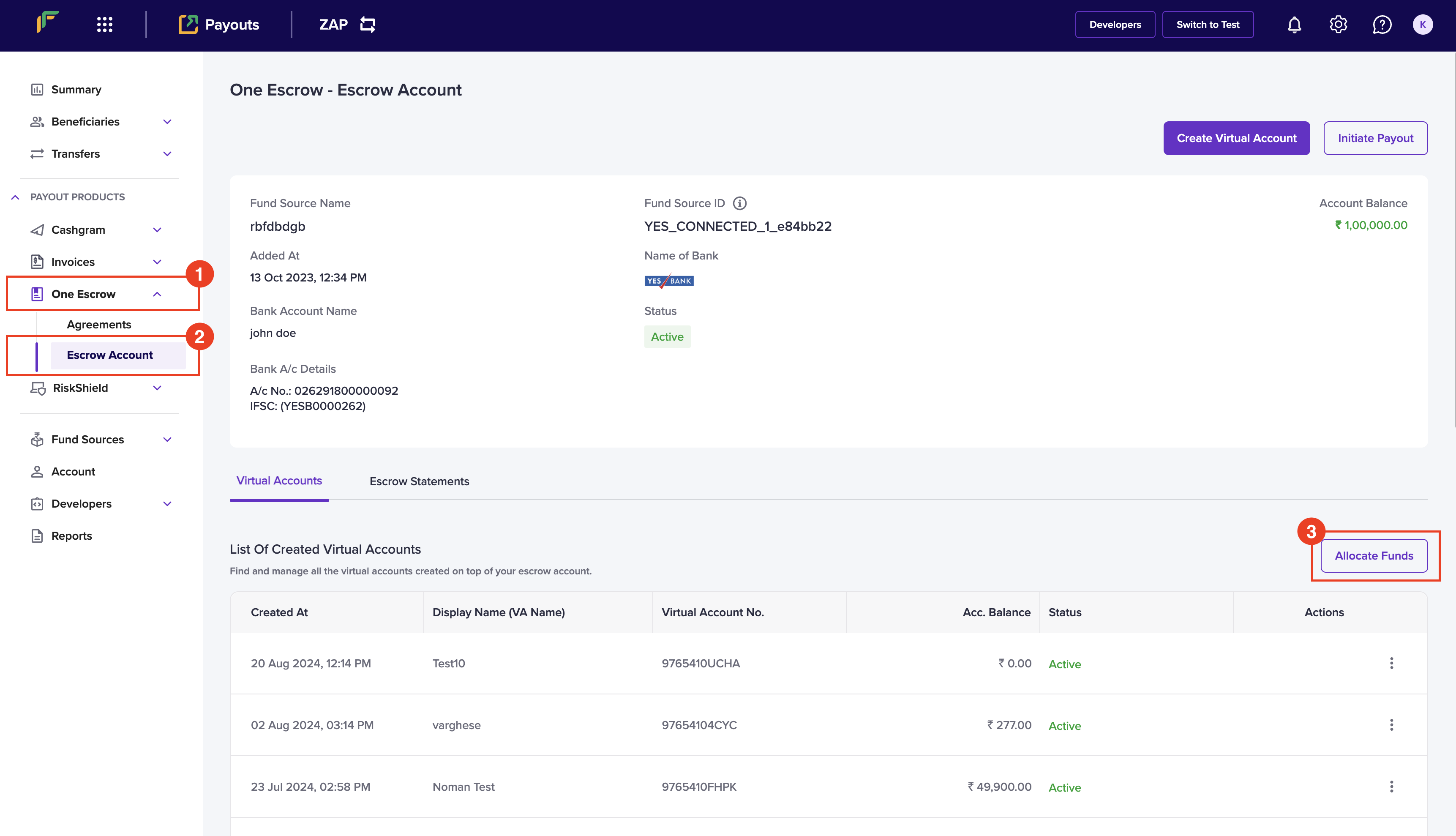
1. Log in to the [Merchant Dashboard](https://merchant.cashfree.com/auth/login).
2. Go to **Payouts Dashboard** > **One Escrow** > **Escrow Account**.
3. Click **Allocate Funds** in the *One Escrow - Escrow Account* page.
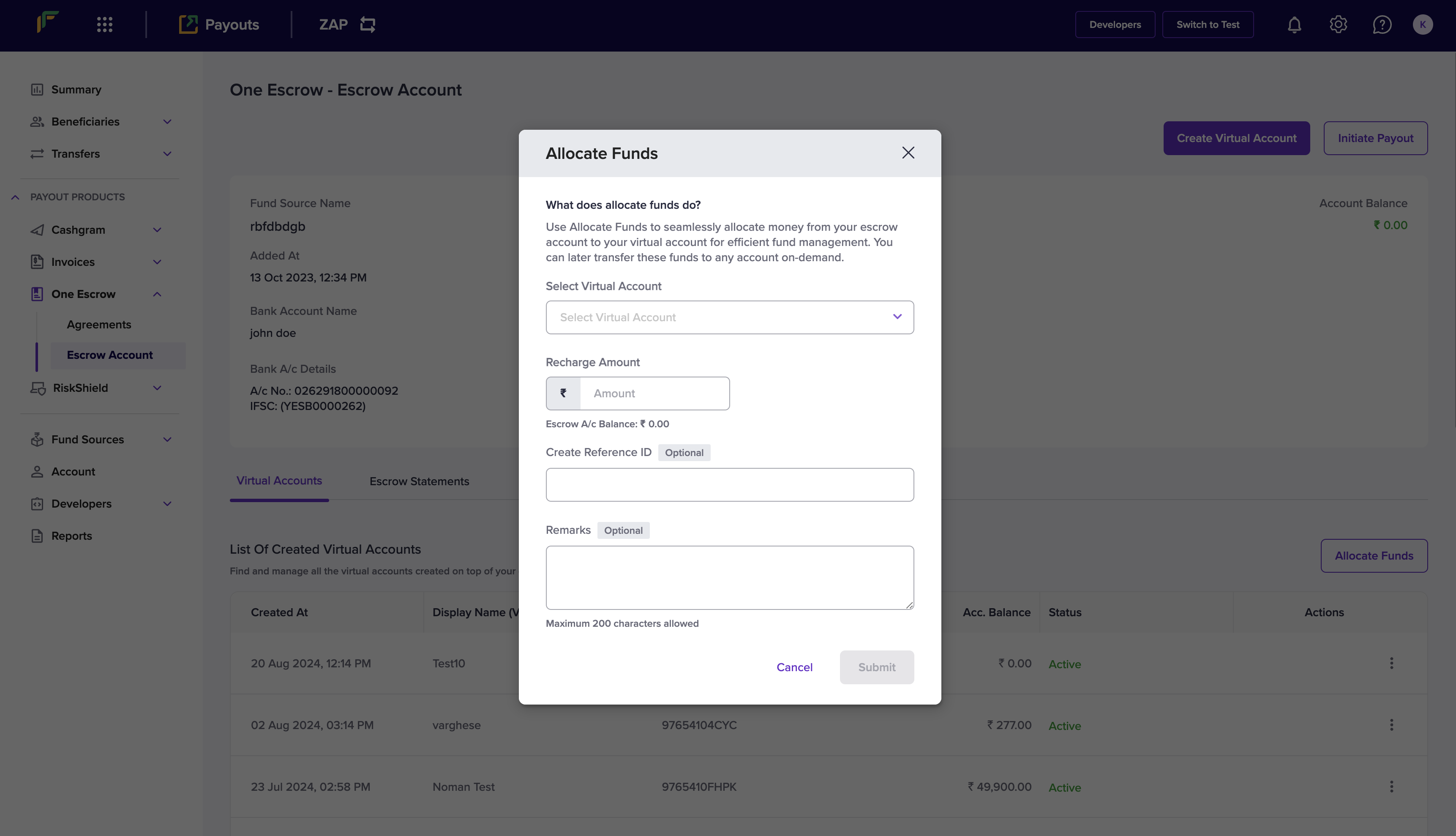
 4. Enter the following information in the *Allocate Funds* popup:
* **Select Virtual Account**: Choose a virtual account from this dropdown menu.
* **Recharge Amount**: Enter the amount you want to allocate in this field.
* **Create Reference ID**: Enter a unique ID to identify this allocation. This is an optional field.
* **Remarks**: Enter any remarks. This is an optional field.
5. Click **Submit**.
4. Enter the following information in the *Allocate Funds* popup:
* **Select Virtual Account**: Choose a virtual account from this dropdown menu.
* **Recharge Amount**: Enter the amount you want to allocate in this field.
* **Create Reference ID**: Enter a unique ID to identify this allocation. This is an optional field.
* **Remarks**: Enter any remarks. This is an optional field.
5. Click **Submit**.
 You have successfully allocated funds to the virtual account, and a popup will display with the fund allocation information.