> ## Documentation Index
> Fetch the complete documentation index at: https://www.cashfree.com/docs/llms.txt
> Use this file to discover all available pages before exploring further.
# Initiate Payout
> Initiate payouts from Cashfree OneEscrow virtual accounts to manage cash flow, improve security, and simplify reconciliation across business workflows.
You can initiate payouts from the virtual accounts you created to improve cash flow management, enhance financial organisation, flexibility, security, and simplify reconciliation.
## Initiate a payout
Follow the instructions below to initiate a payout from the virtual account:
1. Log in to the [Merchant Dashboard](https://merchant.cashfree.com/auth/login).
2. Go to **Payouts Dashboard** > **One Escrow** > **Escrow Account**.
3. Click **Allocate Funds** in the *One Escrow - Escrow Account* page.
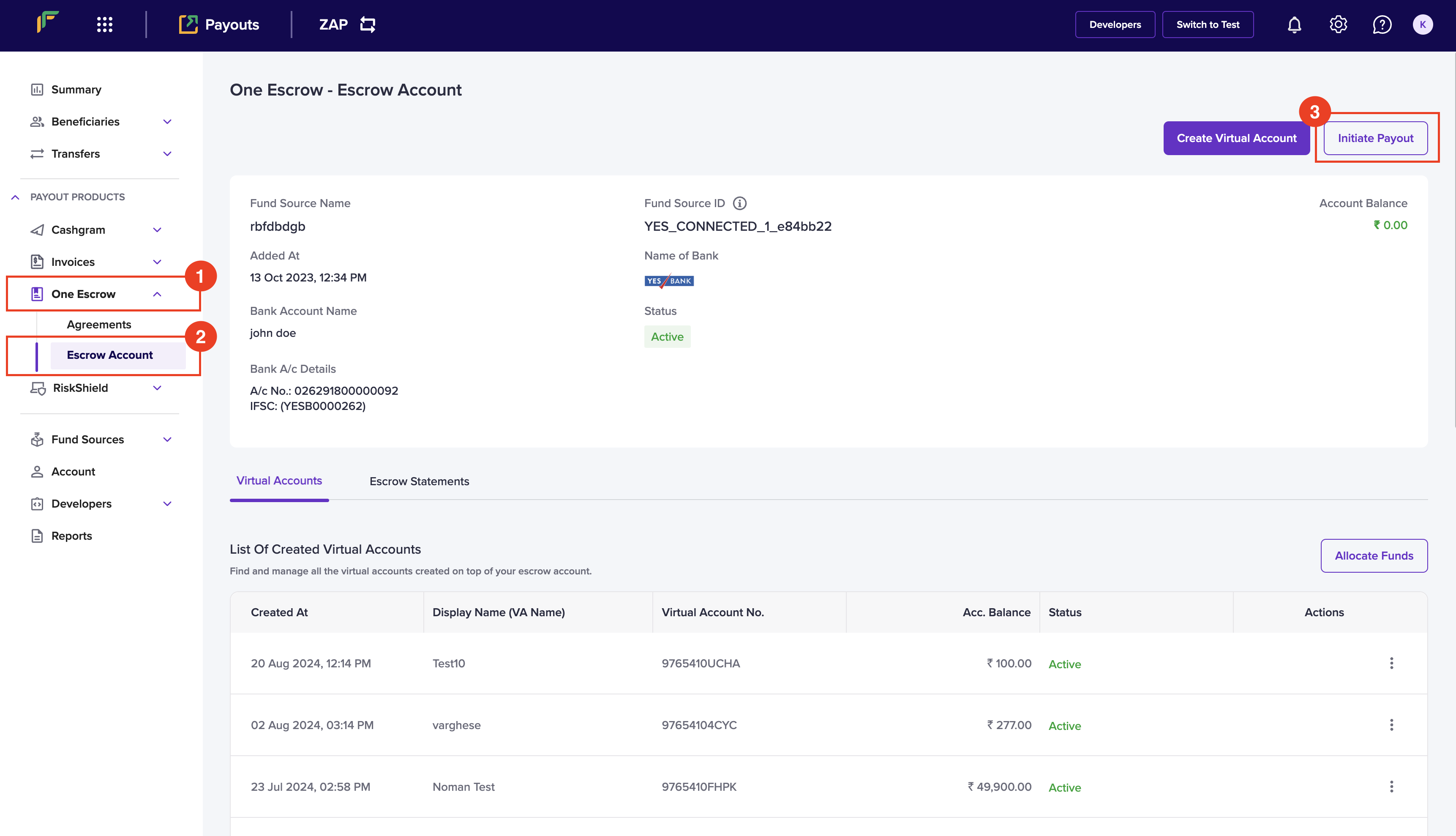 4. Enter the following information in the *Initiate Payout* popup:
* Beneficiary ID - Enter the ID of the beneficiary that you want to transfer the amount.
* Fund Source - Select the fund source that you want to debit the transfer amount.
* Transfer Method - Choose a transfer method from the dropdown menu.
* Transfer ID - Enter a unique ID to identify the transfer. This is an optional field.
* Amount - Enter the amount you want to transfer.
* Remarks - Enter any remarks.
5. Click **Confirm.**
4. Enter the following information in the *Initiate Payout* popup:
* Beneficiary ID - Enter the ID of the beneficiary that you want to transfer the amount.
* Fund Source - Select the fund source that you want to debit the transfer amount.
* Transfer Method - Choose a transfer method from the dropdown menu.
* Transfer ID - Enter a unique ID to identify the transfer. This is an optional field.
* Amount - Enter the amount you want to transfer.
* Remarks - Enter any remarks.
5. Click **Confirm.**
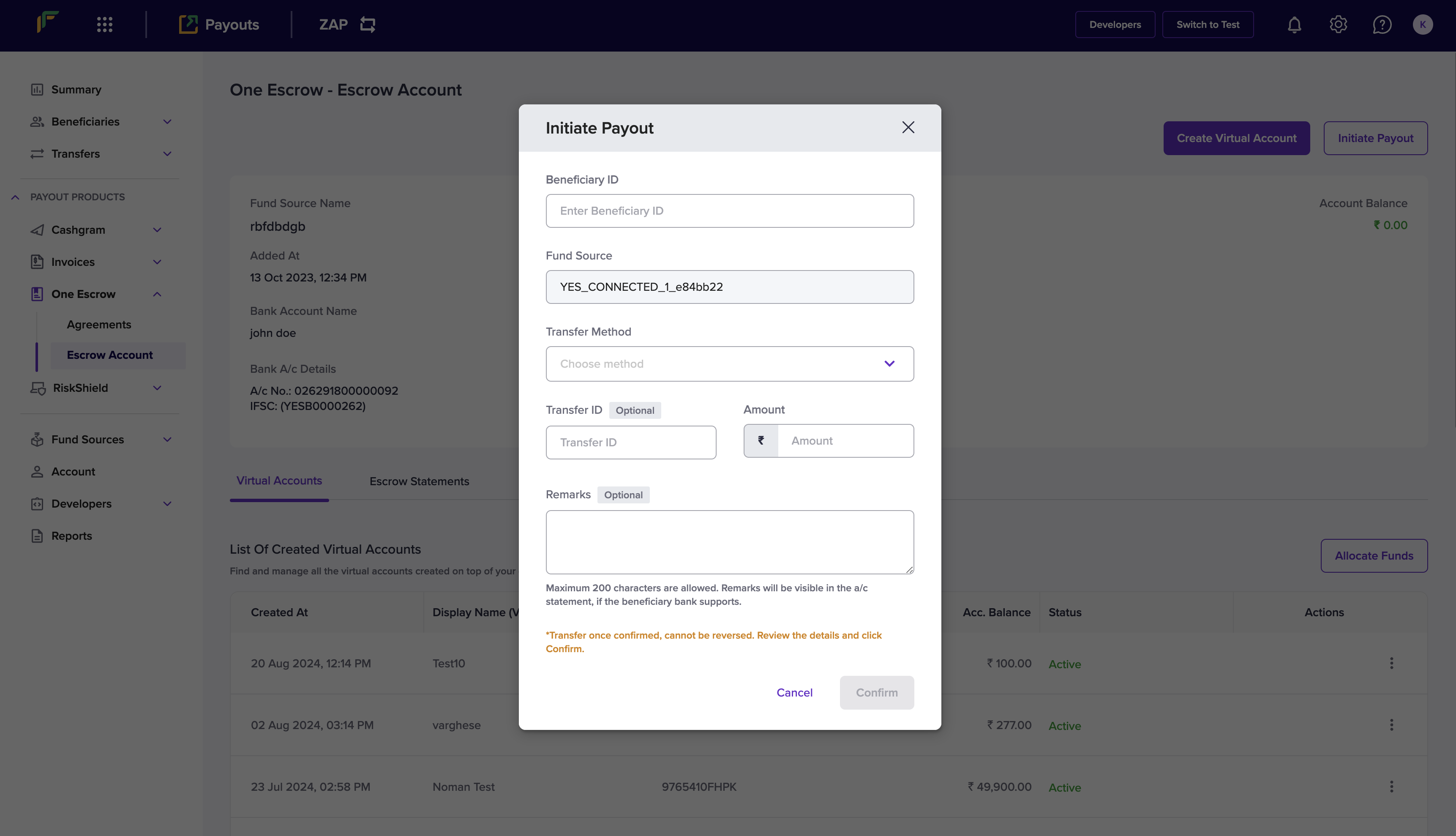 You have successfully initiated a payout, and the popup will display the transaction information.