> ## Documentation Index
> Fetch the complete documentation index at: https://www.cashfree.com/docs/llms.txt
> Use this file to discover all available pages before exploring further.
# IP Whitelisting
> Learn how to whitelist your IP address in the Cashfree Payments production server to authenticate API requests.
Whitelisting your IP address provides a layer of authentication. This prevents unauthorised API requests and ensures only verified requests are processed.
IP whitelisting is required only for the production environment. The test environment does not require whitelisting.
To whitelist your IP address, follow these steps:
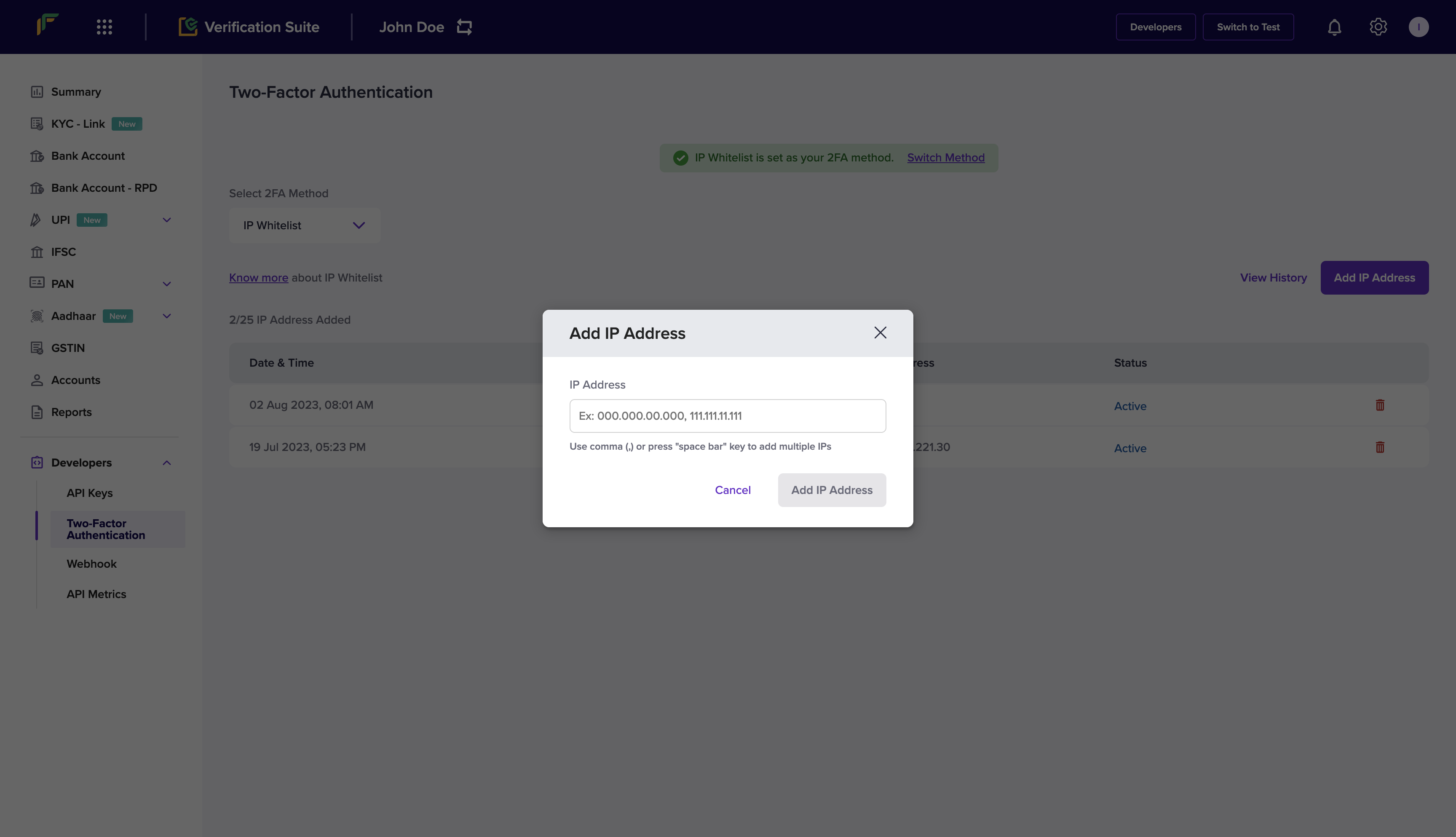
1. Log in to the [Merchant Dashboard](https://merchant.cashfree.com/auth/login). Go to **Developers > Two-Factor Authentication** under the **Secure ID** card.
2. Select **IP Whitelist** from the **Select 2FA Method** drop-down.
3. Select **Add IP Address**.
4. Enter the IP address you want to whitelist and select **Add IP Address** to save.
The whitelisted IP addresses are displayed in the grid.
 * Whitelist your IPv4 address only. IPv6 addresses are not supported.
* You can whitelist a maximum of 10 IP addresses.
* Generate your API credentials before you set up two-factor authentication (2FA).
* Ensure that you whitelist a public IP address. Cashfree does not support private IP addresses, including the 10.x.x.x, 172.16.x.x–172.31.x.x, and 192.168.x.x ranges, as these are not accessible over the public internet.
## How to find your IP address
Depending on your operating system, you can retrieve your system's IP address using multiple methods. You can also find your public IP address using a service such as [whatismyipaddress.com](https://whatismyipaddress.com/).
* Whitelist your IPv4 address only. IPv6 addresses are not supported.
* You can whitelist a maximum of 10 IP addresses.
* Generate your API credentials before you set up two-factor authentication (2FA).
* Ensure that you whitelist a public IP address. Cashfree does not support private IP addresses, including the 10.x.x.x, 172.16.x.x–172.31.x.x, and 192.168.x.x ranges, as these are not accessible over the public internet.
## How to find your IP address
Depending on your operating system, you can retrieve your system's IP address using multiple methods. You can also find your public IP address using a service such as [whatismyipaddress.com](https://whatismyipaddress.com/).