- Cards (credit, debit and prepaid)
- UPI
- Netbanking (all banks)
- Wallets
- Affordability
How to add Cashfree gateway on Flowwise
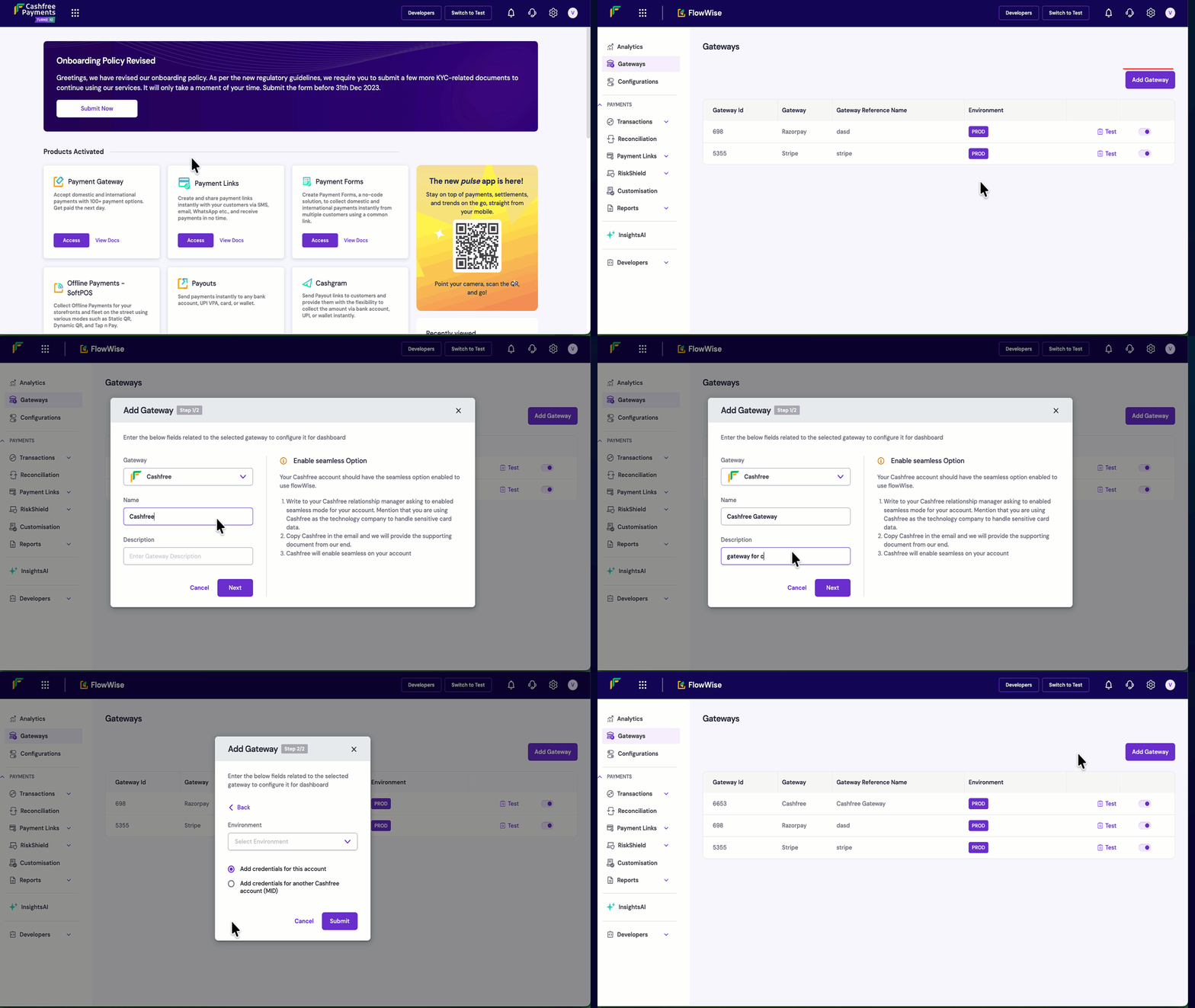
- Login to your Cashfree Dashboard
- On the home page, click ‘Payment Gateway’, then select Flowwise from left navbar. Select ‘Gateways’
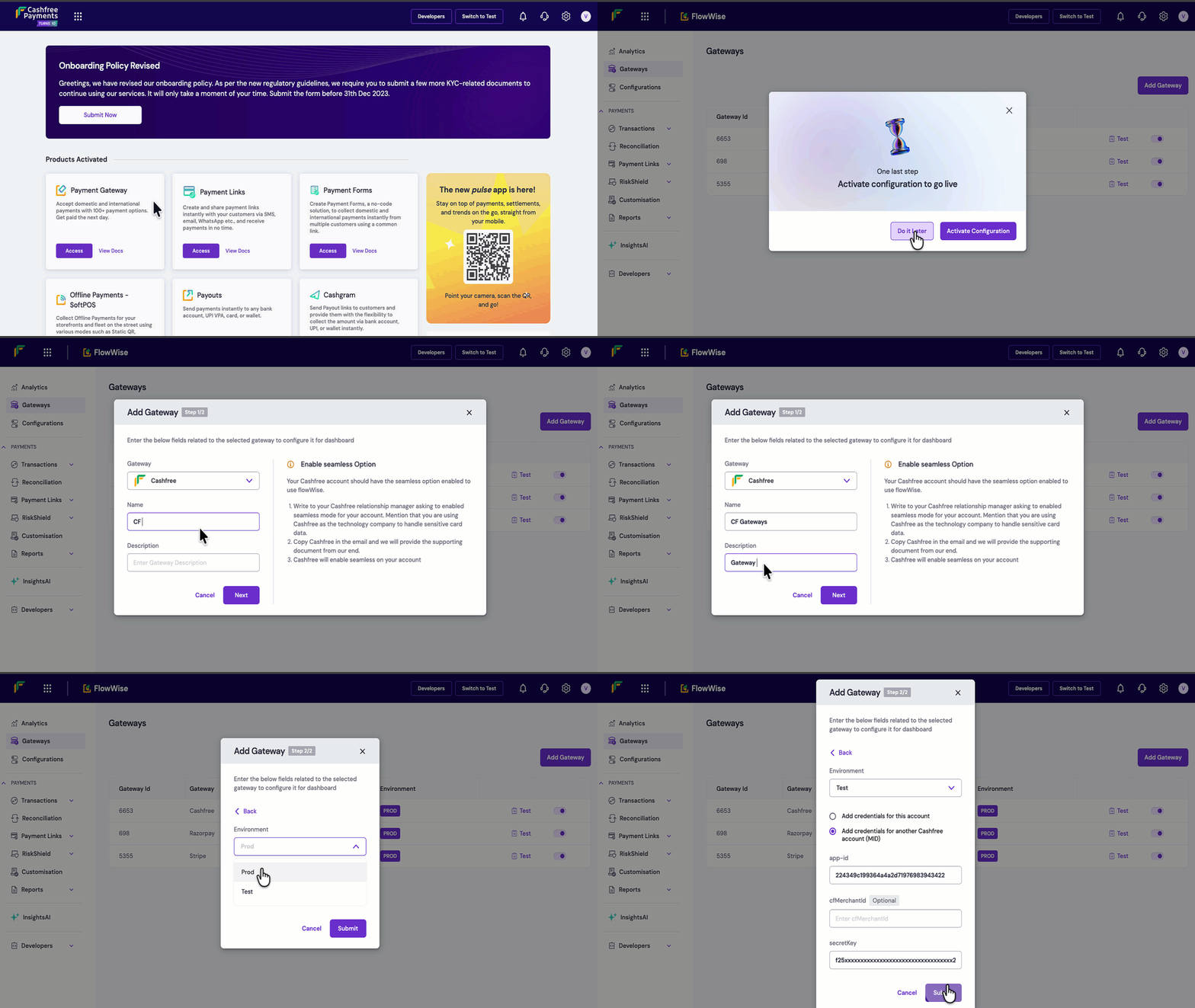
- On the top right, click Add Gateways. Select Cashfree from the dropdown, and add a unique name and description for the gateway, then click Next.
- You can either link the same account or add credentials from another account.
- Same account
- Link another account
- Select prod environment
- Select ‘Add Credentials for this account’ and hit submit.