

- UPI
- Credit cards
- Debit cards
- Net banking
- Wallets
- Buy Now Pay Later (BNPL)
1
Sign up and set up
- Sign up with Cashfree if you don’t have an account.
- Submit the required documents.
2
Install the Cashfree plugin
- Download the plugin from WordPress.
- Log in to your WordPress Admin Dashboard.
- Upload and install the plugin in
/wp-content/plugins. - Activate the Cashfree Plugin from the Plugins page.
3
Configure Cashfree in WooCommerce
- Go to WooCommerce > Settings > Checkout.
- Select Cashfree under Payment Gateways.
- Enable Cashfree by checking the Enable/Disable box.
4
Enter your credentials
- Enter your App ID and Secret Key from Cashfree in the plugin settings.
- Configure optional settings:
- Sandbox Mode: Enable to use test mode.
- In-Context Payment: Enable to avoid redirection during payment.
- Click Save Changes.
5
Whitelist your domain
To complete the integration, request domain whitelisting:
- Log in to the Merchant Dashboard.
- Navigate to Developers > Whitelisting.
- Follow the whitelisting guide.
Buy Now Pay Later plus integration
1
Setup guide
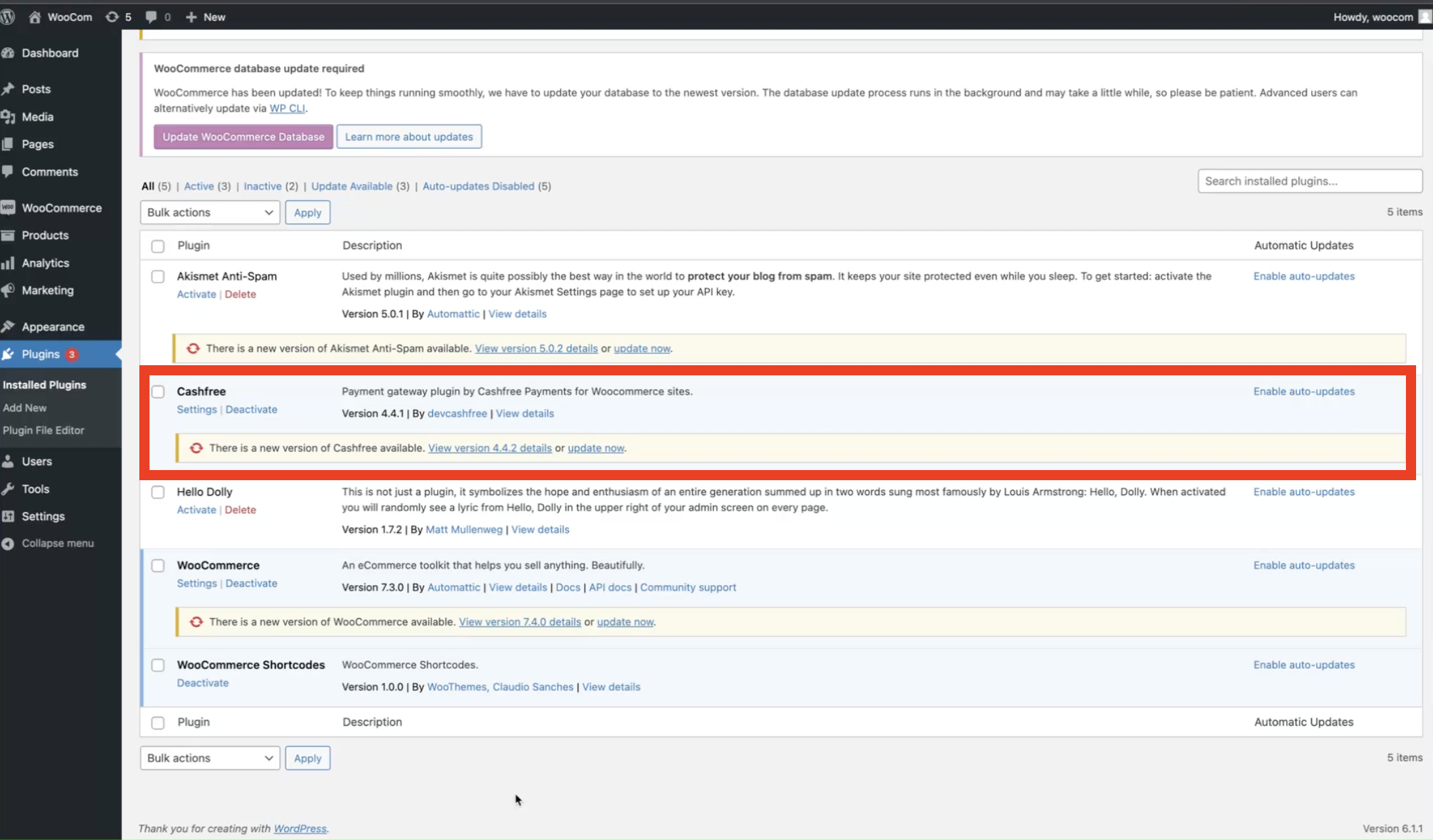
- Upgrade Cashfree Plugin: Go to WooCommerce Admin > Plugins and update to the latest version.
-
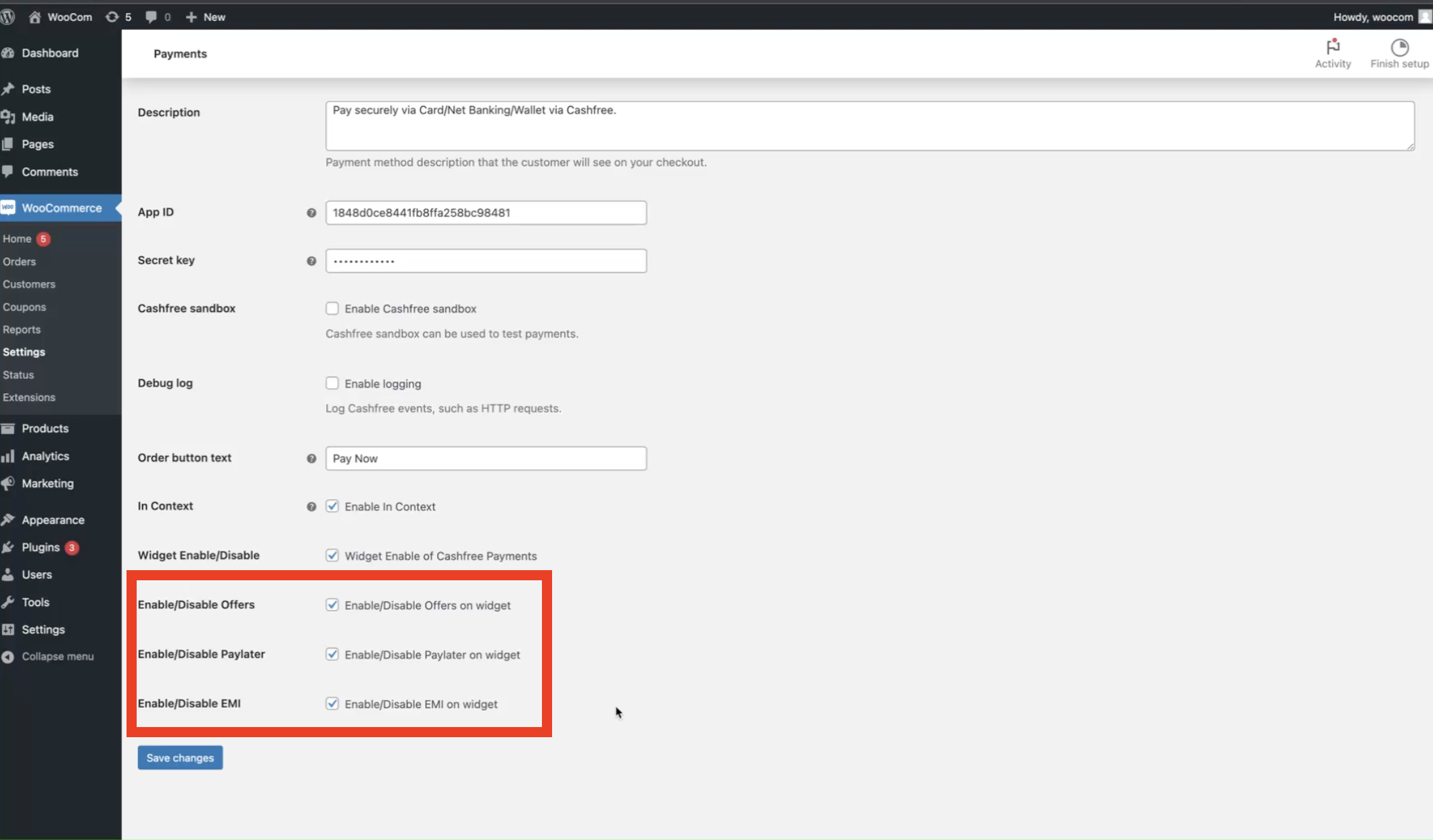
Enable BNPL Options: Go to Settings and activate offers, pay later, or EMI options as desired.
2
Troubleshooting
Common errors and solutions
- “Authentication Failed”: Ensure Sandbox Mode is disabled in settings.
- Domain error: Verify the domain is whitelisted in the Merchant Dashboard.
Affiliate partner program
As a developer building payment experiences for your clients, you can earn additional income while providing them with industry-leading payment solutions.
Join the Cashfree affiliate partner program and get rewarded every time your clients use Cashfree.
What you get:
- Earn up to 0.25% commission on every transaction.
- Become a trusted fintech partner for your clients.
- Access to a dedicated partner manager for expert support.
What your clients get:
- Instant activation and go live in minutes.
- Industry-best success rate across all payment modes.
- Effortless acceptance of international payments in 140+ currencies.
Get started today. Become a partner now.