

Key features
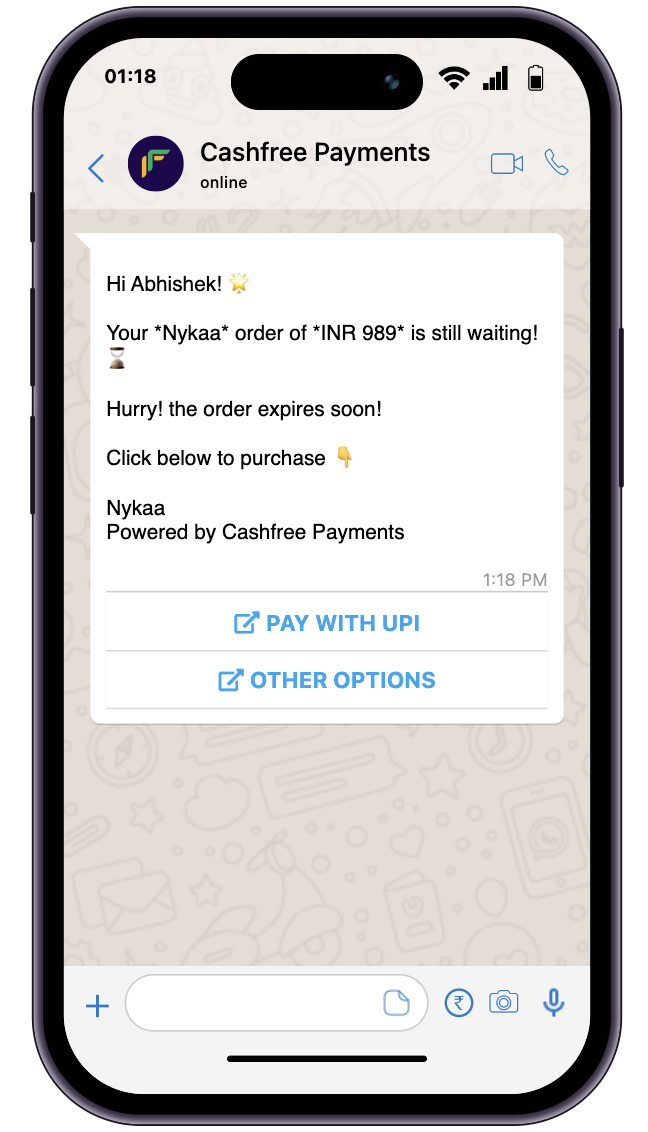
- UPI payments: Customers complete payments directly within WhatsApp using the UPI intent flow, without leaving the app.
- Additional offer: Apply a merchant-funded offer that is auto-applied at checkout to increase conversion.
- Verified WhatsApp messages: Payment messages are delivered from Cashfree’s verified WhatsApp account, building trust with your customers.
Abandoned orders report
The abandoned orders report lists orders where a payment was initiated but not completed. Use this report to identify drop-offs, follow up with customers, or reconcile incomplete transactions. To generate an abandoned orders report, complete the following steps:- Log in to the Merchant Dashboard.
- Navigate to Payment Gateway > Reports > Download Reports.
- Select Generate New Report.
- Configure your report settings:
- Report Type: Select Abandoned Orders from the dropdown.
- Date Range: Choose the time period for the report.
- File Format: Select CSV or XLSX.
- File Name: Modify if needed (optional).
- Select Generate Report.
Activation
To activate WhatsApp abandoned orders, submit a request using the support form with the following details:- The delay duration after which the WhatsApp message should be sent to the customer.
- The offer details to apply at checkout, either as a flat amount or a percentage discount (optional).