

Cards
Collect card payments (debit and credit) with a custom UI while keeping card data off the server. The example shows how to mount the card element, handle validation, and complete the payment flow.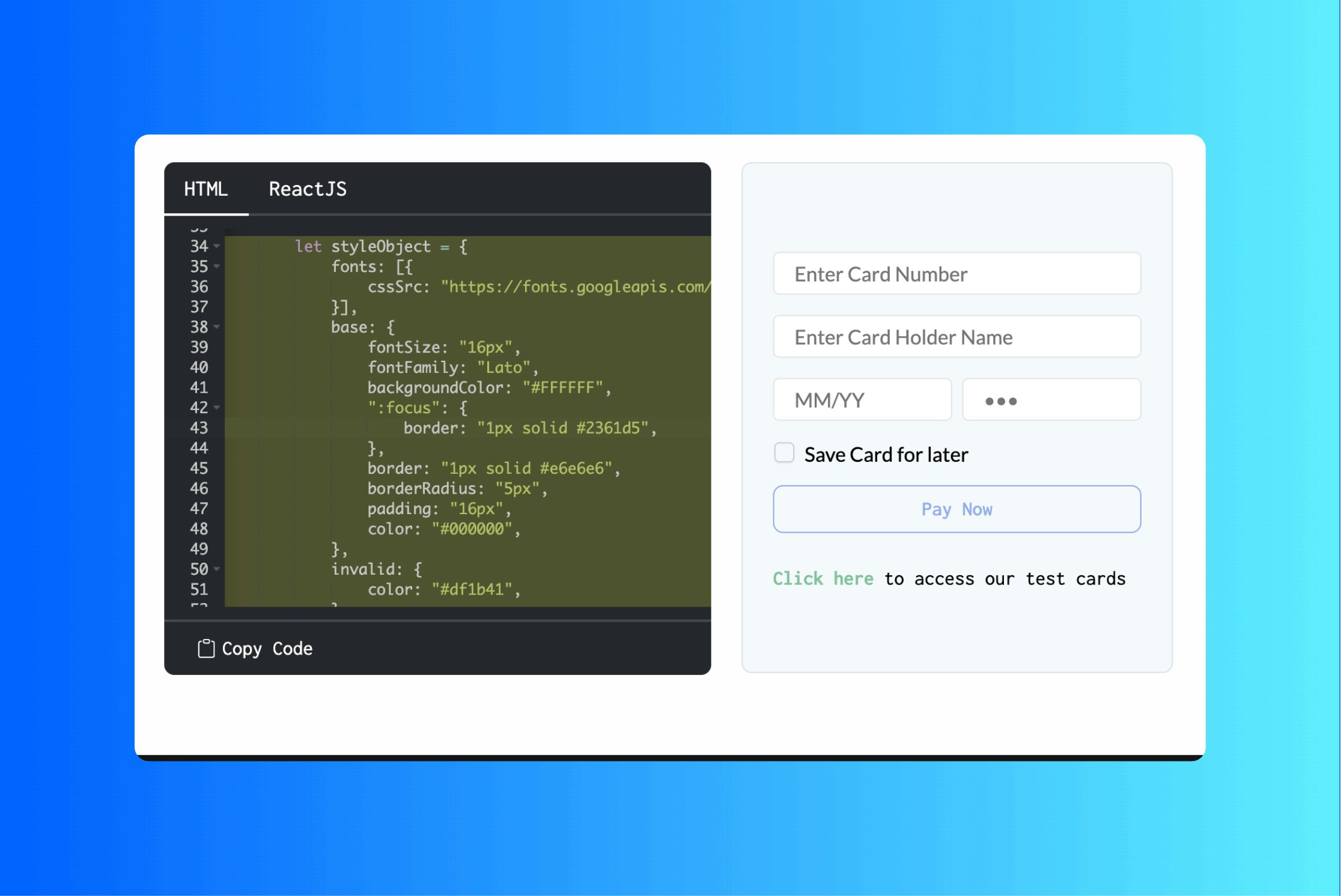
Example for building a custom UI for card payments: fork the CodePen and plug in the session and config.
UPI
The following examples cover the main UPI flows: intent (app redirect), collect (VPA), and QR code. Choose the one that matches the desired customer payment flow.UPI intent
UPI intent opens the customer UPI app to complete the payment. The example demonstrates creating the intent component, initiating the flow, and handling success or failure.Example for building a custom UI for UPI intent payments: redirect users to their UPI app and handle the callback.
UPI collect
UPI collect lets customers pay by entering their UPI ID (VPA). The example shows how to render the collect component and process payments without leaving the checkout page.Example for building a custom UI for UPI collect: collect VPA and complete the payment in the checkout.
UPI QR code
UPI QR displays a QR code that customers scan with their UPI app. The example covers generating the QR, showing it in the UI, and listening for payment status.Example for building a custom UI for UPI QR payments: show a scannable QR and complete the payment flow.
Net banking
Net banking allows customers to pay via their bank online banking page. The example shows how to list banks, let the user choose one, and redirect them to complete the payment.Example for building a custom UI for net banking: bank selection and redirect to the bank payment page.
Wallets
Wallet payments use supported mobile wallets (e.g. Paytm, PhonePe) for one-tap checkout. The example demonstrates listing wallets and handling the wallet payment flow.Example for building a custom UI for wallet payments: wallet selection and completion in the checkout.