

Key features
- Partial COD support: Collect a flat amount or a percentage of the order value upfront. This helps reduce return-to-origin (RTO) orders, improve order reliability, and manage risk for high-value or first-time orders, while offering customers flexible payment options.
- Flexible COD rules: Set minimum and maximum order amounts to control COD eligibility.
- Custom transaction types: Choose between full COD or Partial COD based on your business needs.
- Handling fee configuration: Apply handling fees for COD orders to offset delivery risks or costs.
- Tiered rule setup: Create multiple slabs to apply different COD rules for different order ranges.
Configuring COD and RTO
To configure COD:- Log in to the Merchant Dashboard.
- Under One Click Checkout, select Access.
- In the left pane, select COD & RTO.
- Select the Configuration tab.
-
Under Configure COD Rules, do the following:
- In Transaction Amount, set the Min Amount and Max Amount for COD.
-
Under Transaction Type, choose one of the following:
- COD: Enter a value in the Handling Fee field.
- COD with Partial Payment (Partial COD): Specify the advance amount to collect. Choose a Flat Amount or Percentage of the order value.
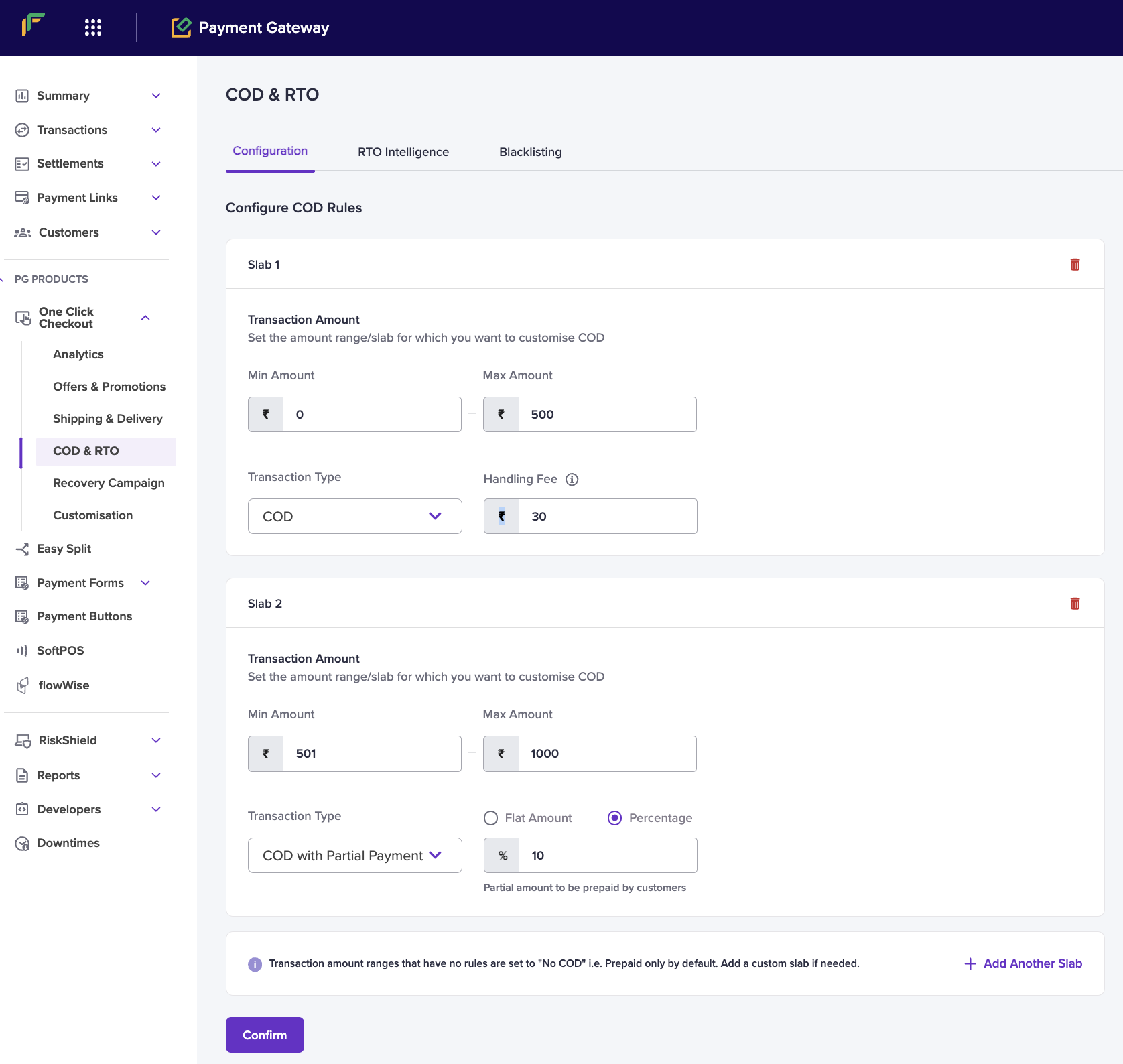
- To define more COD rules, select Add Another Slab.
- Select Confirm to save your settings.
If a transaction amount doesn’t match any rule, COD is disabled and the payment defaults to prepaid. Create custom slabs as needed.
FAQs
Can I add a handling fee for Partial COD orders?
Can I add a handling fee for Partial COD orders?
For now, the option to add a handling fee is available only for COD and not for Partial COD from the Merchant Dashboard. For Partial COD, the Cashfree technical team configures the handling fee internally on your account. To request this configuration, submit a Support Form.